Did you know that projectors operating in high-temperature environments can lose up to 50% of their lamp life without proper ventilation? This surprising fact highlights the importance of creating a well-designed enclosure for your projector. A custom wooden box not only protects your device but also enhances its performance and longevity.
Choosing the right materials, such as durable wood and tempered glass, ensures your enclosure is both sturdy and functional. Proper alignment and weight distribution are critical to maintaining optimal projector performance. Additionally, thoughtful design elements like adequate spacing and ventilation can prevent overheating and reduce noise.
This guide will walk you through the essential steps to create a professional-looking enclosure. From selecting the right design to addressing practical considerations, you’ll gain the knowledge needed to tackle this project with confidence.
Key Takeaways
- Proper ventilation is crucial to extend projector lamp life and reduce noise.
- Durable materials like wood and glass ensure a sturdy and functional enclosure.
- Alignment and weight distribution are key to maintaining optimal performance.
- Design considerations include spacing, ventilation, and sound attenuation.
- A well-planned enclosure enhances both projector performance and room aesthetics.
Planning and Materials for Your Build
Planning your enclosure requires careful consideration of materials and tools to ensure durability and functionality. Start by evaluating the type of wood and other construction materials that best suit your needs. Durable options like plywood or hardwood are ideal for longevity and weather resistance.
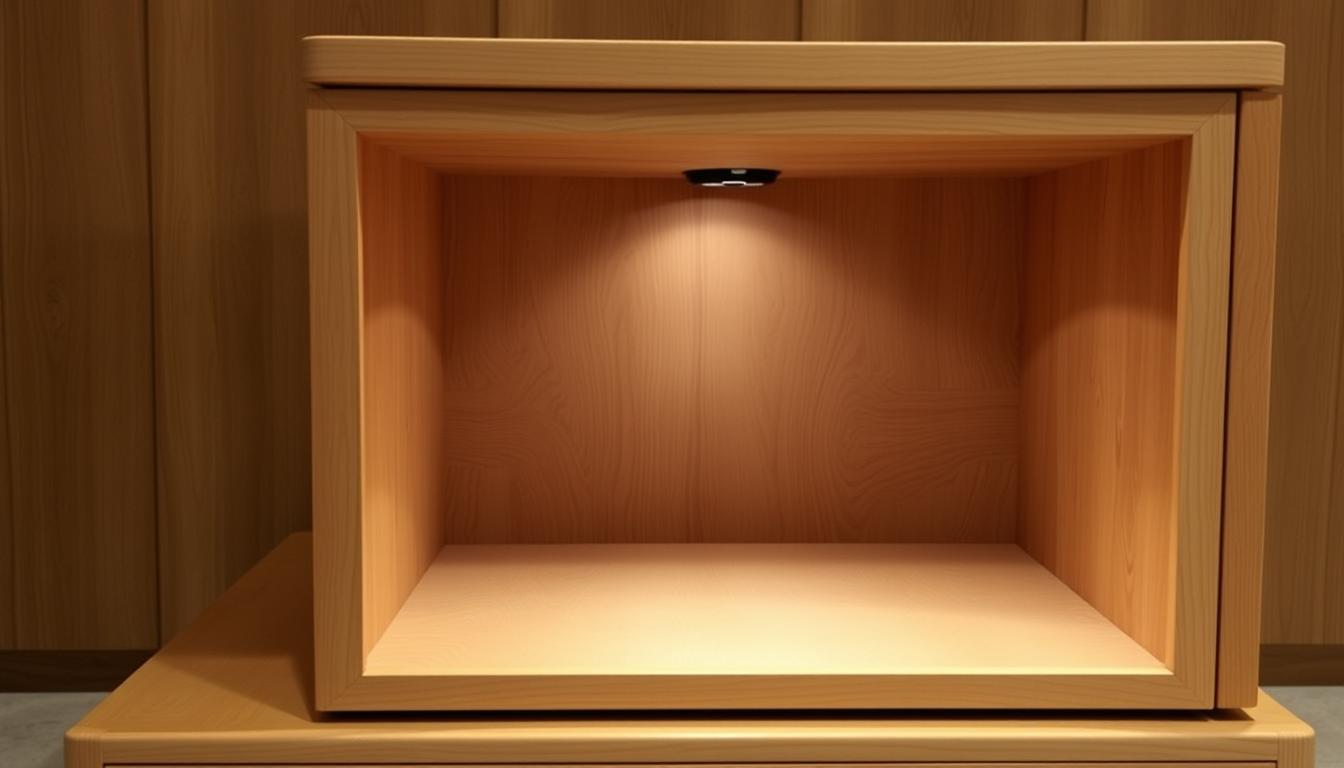
When sizing your enclosure, use precise measurements in inches to ensure a perfect fit. For example, a typical design might require a sheet of wood cut to specific dimensions. Proper spacing is crucial to accommodate ventilation and prevent overheating.
Selecting the Ideal Wood and Materials
Choose materials that balance strength and weight. Plywood is a popular choice due to its affordability and ease of cutting. For added durability, consider using tempered glass for the window. This ensures clarity while protecting your projector.
Experienced builders recommend materials that resist warping and moisture. This is especially important for home theater setups where stability is key. Always double-check that your chosen materials meet size and quality requirements before starting construction.
Gathering Essential Tools and Hardware
Having the right tools is essential for a smooth build. You’ll need a saw, drill, screws, and mounting hardware. Don’t forget to include cables for power and connectivity. Proper mounting ensures your enclosure stays secure and aligned.
Ventilation is another critical factor. Fans or vents can help maintain airflow and prevent overheating. Gather all tools and hardware in advance to save time and avoid interruptions during the build process.
How to Build a Wooden Projector Enclosure: Construction Process
Constructing a custom enclosure for your projector involves precision and attention to detail. This phase transforms your plans into a functional and durable box. Follow these steps to ensure a seamless build.

Cutting, Assembling, and Mounting the Box
Start by cutting the wood to the required dimensions. Use a saw to ensure clean edges. Measure twice to avoid mistakes. Assemble the pieces using screws for stability.
Mount the box securely to prevent misalignment. Use fixed brackets to keep it level. Proper mounting ensures the projector stays in place during use.
Installing Ventilation Systems and Airflow Controls
Ventilation is crucial to prevent overheating. Install intake and exhaust fans to maintain airflow. This setup avoids thermal shutdown and extends the lamp life.
Position the fans strategically to maximize cooling. Ensure the air flows smoothly through the enclosure. This step is vital for long-term performance.
Managing Access for Remote and Control Adjustments
Design the box to allow easy access for remote controls. Include a small opening for adjustments. This feature ensures convenience without compromising the enclosure’s integrity.
Consider condensation issues caused by temperature changes. Use materials that resist moisture to protect the projector. Proper access and protection enhance usability.
For a seamless viewing experience, pair your enclosure with the Insignia 100-inch Home Theater Portable Folding Projector. This combination ensures a professional setup for any occasion.
Enhancing Functionality with Ventilation and Safety Adjustments
Optimizing your projector’s performance starts with effective ventilation and safety measures. Proper airflow and secure mounting are critical to prevent overheating and ensure long-term reliability. This section dives into practical steps to enhance your setup.
Implementing Efficient Fans and Air Filtration
Efficient fan systems are essential for maintaining airflow within the enclosure. Use properly sized intake and exhaust fans to keep air moving. This prevents heat buildup and extends the projector’s lifespan.
Air filtration systems add an extra layer of protection. Install filters to block debris or bugs from entering the enclosure. This ensures uninterrupted performance and reduces maintenance needs.
Ensuring Proper Mounting and Alignment with the Screen
Secure mounting is crucial for maintaining alignment with the screen. Use reliable hardware like screws and brackets to keep the projector stable. Misalignment can distort the image and reduce viewing quality.
Regularly check the mounting points to ensure they remain tight and secure. This prevents vibrations or shifts that could affect performance.
Weather and condensation can pose challenges. Use high-quality glass and robust construction materials to protect against moisture. This safeguards your projector from environmental damage.
- Install intake and exhaust fans for optimal airflow.
- Use air filters to prevent debris from entering the enclosure.
- Secure the projector with reliable mounting hardware.
- Choose weather-resistant materials to protect against condensation.
- Conduct regular maintenance to ensure all components function properly.
By focusing on these adjustments, you can enhance the reliability and longevity of your projector system. Proper ventilation, secure mounting, and regular upkeep ensure a seamless viewing experience.
Conclusion
Creating a custom setup for your projector ensures both performance and durability. From selecting the right materials to assembling the box, each step plays a vital role. Proper ventilation prevents overheating, while secure mounting keeps the lens aligned with the screen.
Safety features like cable management and strategic fan placement enhance reliability. Thoughtful adjustments, such as easy access for remotes, add convenience. These steps help you achieve a professional-grade home theater experience.
Apply these techniques carefully to maximize your projector’s lifespan and image quality. For more detailed design ideas, explore additional resources to refine your setup further.
FAQ
What type of wood is best for a projector enclosure?
Hardwoods like oak or maple are ideal due to their durability and resistance to warping. Plywood is also a cost-effective option for a sturdy build.
How do you ensure proper ventilation for the projector?
Install fans on the side or back of the enclosure to maintain airflow. Add vents or mesh panels to prevent overheating while keeping dust out.
What tools are essential for constructing the enclosure?
You’ll need a saw, drill, screws, measuring tape, and sandpaper. A level and clamps can also help ensure precise assembly.
How do you align the projector with the screen correctly?
Use a mount or adjustable brackets to position the projector. Measure the throw distance and angle to ensure the image fits the screen perfectly.
Can you add weatherproofing to an outdoor enclosure?
Yes, use weather-resistant materials like treated wood or sealants. Add a glass or acrylic sheet to protect the lens from rain and debris.
What size should the enclosure be for a standard projector?
Measure your projector’s dimensions and add 2-3 inches on each side for airflow and cable management. This ensures a snug yet functional fit.
How do you manage remote control access in the enclosure?
Install an IR repeater or leave a small opening for the remote signal. Ensure it doesn’t compromise ventilation or weatherproofing.
What’s the best way to mount the enclosure securely?
Use sturdy brackets or screws to attach it to a wall or ceiling. Ensure the mounting surface can support the weight of the projector and enclosure.
Can you add a fan for better air circulation?
Yes, install a quiet fan to improve airflow. Pair it with a filter to reduce dust buildup and protect the projector’s internal components.
How do you protect the projector lens from damage?
Use a glass or acrylic sheet in front of the lens. Ensure it’s clean and securely mounted to avoid distortions in the projected image.