Over 60% of home theater system issues stem from mismatched components, costing users hundreds in preventable repairs. The relationship between your audio equipment isn’t just about volume—it’s about unlocking hidden layers of sound quality you never knew existed.
Every component in your setup acts like a puzzle piece. When paired correctly, they deliver crisp dialogue, thunderous bass, and lifelike surround effects. But ignoring compatibility risks distortion, overheating, or even permanent damage to your gear.
Two technical terms dominate this process: power handling (measured in watts) and impedance (measured in ohms). These values determine whether your amplifier can safely drive your sound system without strain. Manufacturers design products around these specs for a reason—they’re your roadmap to success.
This guide cuts through the jargon. You’ll learn why a 100-watt receiver doesn’t automatically work with 100-watt speakers. Discover how impedance ratings affect performance across different room sizes. Most importantly, you’ll gain confidence to build a system that lasts for years while delivering studio-quality audio.
Key Takeaways
- Power handling and impedance determine equipment compatibility
- Proper pairing prevents damage and enhances sound clarity
- Manufacturer specs guide safe operational ranges
- Room size impacts power requirements
- Mismatched systems waste up to 30% of audio potential
Understanding Speaker and Amplifier Basics
Building a cohesive audio system starts with knowing how components interact. Amplifiers and speakers form a symbiotic relationship – one powers, the other projects. Get this pairing wrong, and you’ll hear it in muffled dialogues or strained basslines.

Stereo vs Mono: Choosing Your Amplifier Type
Stereo amplifiers dominate home setups with their two-channel design. They split audio into left/right signals, creating spatial depth for movies and music. Most systems use these because they’re affordable and space-efficient.
Mono amplifiers (monoblocks) take a different approach. Each unit powers a single channel, requiring pairs for stereo sound. While pricier, they reduce interference between channels. Audiophiles often prefer them for critical listening rooms.
“Class D amplifiers revolutionized home audio by cutting energy waste by 80% compared to traditional designs.”
Decoding Power Handling and Specifications
Speaker power handling determines how much energy they can manage without distortion. Match this with your amplifier’s output using RMS wattage ratings as your guide. Exceeding these limits risks permanent coil damage.
| Amplifier Class | Efficiency | Heat Output | Best For |
|---|---|---|---|
| Class A | 20-30% | High | Audiophile music systems |
| Class A/B | 50-70% | Moderate | Home theaters |
| Class D | 85-90% | Low | Compact setups |
Impedance ratings (4Ω vs 8Ω) affect how hard your amplifier works. Lower numbers demand more current – check your gear’s specs to avoid overheating. Multi-room systems often need careful impedance matching to prevent performance drops.
How to Match Speakers with Your AV Receiver
Compatibility hinges on two pillars: physical connections and electrical harmony. Choose connectors that ensure stable signal transfer, then align power specs to protect your gear while maximizing performance.

Assessing Compatibility and Connection Types
Connection interfaces act as handshakes between components. Bare wire offers simplicity but degrades over time. Banana plugs provide secure 4mm binding posts for vibration-resistant joins—ideal for high-end setups.
| Connection Type | Use Case | Durability | Best For |
|---|---|---|---|
| Bare Wire | Temporary setups | Low | Budget systems |
| Banana Plugs | Permanent installs | High | HiFi enthusiasts |
| XLR | Pro audio | Extreme | Studio monitors |
Home theaters often use RCA jacks for subwoofers. Professional-grade systems favor XLR for balanced audio signals. Match connectors to your system’s complexity and usage frequency.
Matching Wattage and Impedance for Optimal Performance
Your receiver’s power output should sit below the speaker’s maximum wattage. This creates a safety buffer during loud passages. A 75-watt amp pairs best with 100-watt speakers.
Impedance mismatches strain components. Most home receivers handle 6-8 ohms efficiently. Connecting 4-ohm models doubles the electrical load—check manufacturer guidelines before pairing.
Higher impedance reduces current flow, lowering distortion. For multi-room setups, maintain consistent ohms across all speakers. Mixing 4Ω and 8Ω units forces uneven power distribution.
Mastering Power, Impedance, and Sensitivity
Audio system performance hinges on three critical specifications: power delivery, impedance balance, and sensitivity efficiency. These factors determine whether your components work in harmony or strain against each other during movie explosions or quiet dialogues.

Interpreting Wattage, RMS, and Peak Ratings
Manufacturers use four power measurements: RMS, peak, program, and continuous. RMS (Root Mean Square) shows continuous handling capacity – the gold standard for comparisons. Peak ratings measure brief bursts, often doubling RMS values.
| Rating Type | Duration | Real-World Use |
|---|---|---|
| RMS | Continuous | Safe listening levels |
| Peak | 0.5-2 seconds | Sudden bass drops |
A 100-watt RMS speaker handles 100 watts constantly. Pair it with a 75-watt amplifier for headroom during intense scenes. This 25% buffer prevents distortion while preserving dynamics.
Decoding Impedance and Sensitivity Effects
Lower impedance (4Ω) demands more current than higher (8Ω) models. Your receiver must support these loads – check spec sheets for compatibility. Most home systems use 6-8Ω speakers for stable operation.
“Sensitivity ratings decide your amplifier’s workload. 85dB speakers need double the power of 88dB models to achieve equal volume.”
Higher sensitivity (measured in dB) means louder sound per watt. An 89dB speaker produces concert-level audio with modest power. Lower 83dB models require beefier amplifiers for similar output.
- 86dB sensitivity: Ideal for medium rooms
- 90dB+: Best for large spaces
- Below 84dB: Needs high-wattage amps
Optimizing Your Home Theater Environment
Your room’s layout transforms sound waves before they reach your ears. Square spaces create echo chambers, while irregularly shaped rooms scatter audio unevenly. Carpeted floors absorb treble frequencies, whereas hardwood surfaces amplify them—these interactions dictate your system’s true capabilities.
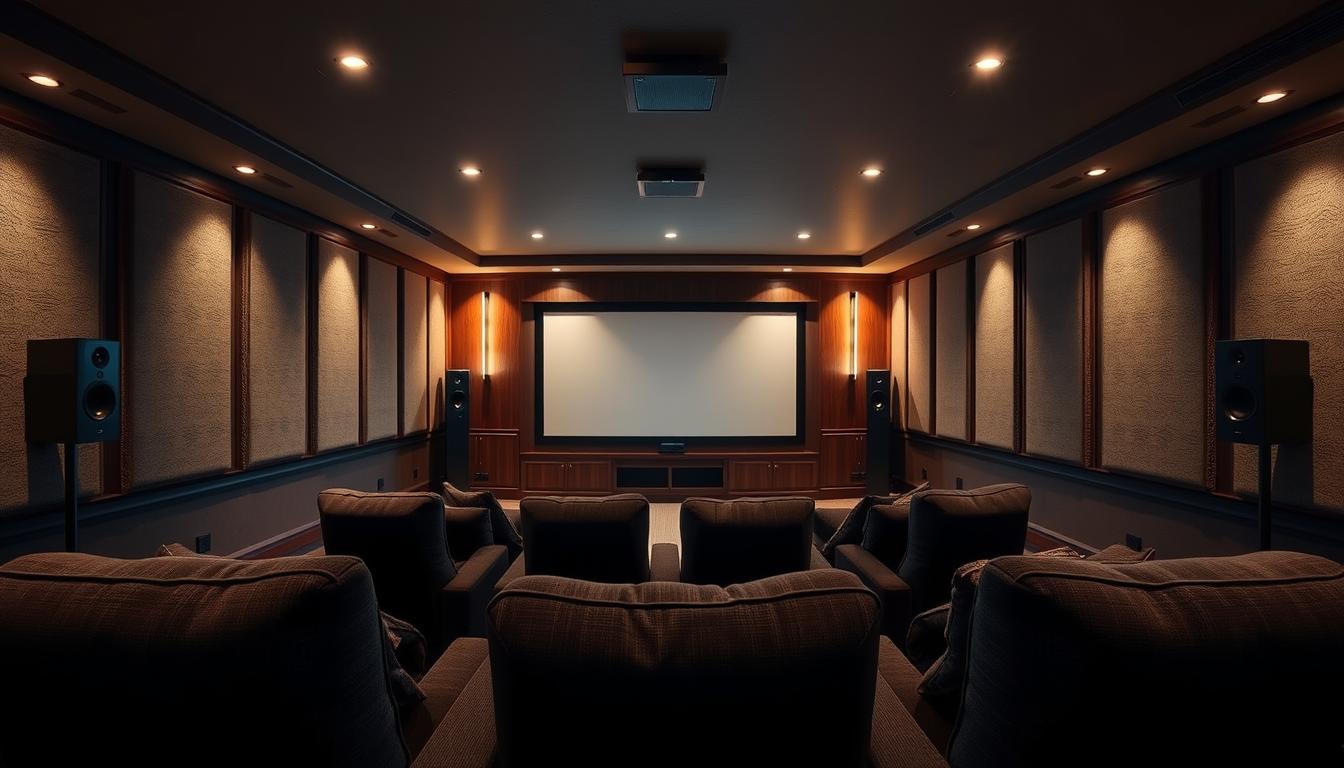
Room Acoustics and Speaker Placement
Ceiling height directly impacts bass response. Rooms under 8 feet tall benefit from downward-firing subwoofers, while vaulted ceilings need front-firing models. Position main speakers at ear level when seated, forming an equilateral triangle with your primary listening position.
| Room Size | Speaker Size | Amplifier Power |
|---|---|---|
| 150 sq ft | 5.25″ woofers | 50W RMS |
| 300 sq ft | 8″ woofers | 100W RMS |
| 500+ sq ft | 12″ woofers | 200W RMS |
Bookcases and upholstered furniture act as natural diffusers. Place them strategically between reflective surfaces to break up standing waves. Heavy curtains on windows prevent high-frequency distortion during action scenes.
Setup Tips for Enhanced Audio Experience
Subwoofers perform best in room corners, but avoid placing them symmetrically. Use the “subwoofer crawl” method—position the unit temporarily at ear level in your seating area, then crawl along walls to find where bass sounds fullest.
- Angle surround speakers 110 degrees from the listener
- Elevate rear channels 2-3 feet above ear level
- Maintain 1-foot clearance from walls for ported designs
“Acoustic panels recover 40% of lost clarity in untreated rooms.”
Calibrate your system using test tones and an SPL meter. Match volume levels across all channels while standing at the primary seat. This compensates for your room’s unique acoustic signature.
Budget Considerations and Future-Proofing Your Audio Setup
Smart budgeting transforms audio investments from short-term fixes to decade-spanning solutions. Allocate 40-50% of your budget to speakers and 30-40% to amplifiers, reserving 10-20% for cables and room treatments. This balance ensures neither component becomes the system’s weak link.
Strategic Component Selection
Prioritize expandable connectivity when choosing receivers. Models with 7.2-channel processing accommodate additional surround speakers later. Check specifications for pre-out connections – these let you add external amplifiers without replacing the main unit.
| Budget Tier | Speaker Allocation | Amplifier Features |
|---|---|---|
| $500 | 60% | 4K pass-through |
| $1,500 | 55% | Multi-zone audio |
| $3,000+ | 50% | Dirac Live calibration |
Upgrade Roadmap Essentials
Choose components with standardized connections like HDMI 2.1 and Wi-Fi 6. These ensure compatibility with emerging formats. “Buying amplifiers with 20% extra power per channel creates headroom for premium speakers down the line,” notes a leading audio engineer.
Track manufacturers offering upgrade programs. Some brands provide trade-in credits when you return old gear. This strategy cuts long-term costs while maintaining system cohesion.
Conclusion
Crafting your ideal audio system blends science with personal taste. While power handling and impedance ratings form the technical backbone, your ears ultimately judge performance. Specifications prevent damage to components, but they can’t predict how jazz vocals or action scenes will resonate in your space.
Always conduct listening tests with familiar tracks. A receiver that pairs well with rock might struggle with classical music. Note how different amplifier-speaker combinations handle quiet passages and explosive dynamics.
For those expanding their bass capabilities, our guide on multi-subwoofer configurations offers advanced tuning strategies. Remember: room treatments and strategic placement often unlock more potential than expensive upgrades.
Your system should evolve with your preferences. Start with manufacturer guidelines, then refine through experimentation. Balanced output, proper sensitivity matching, and mindful channel allocation create a foundation that lasts through technological shifts.
FAQ
How do I check if my speakers are compatible with an AV receiver?
Verify the receiver’s power output (measured in watts per channel) matches your speakers’ recommended range. Check impedance (measured in ohms) to ensure both components operate within the same range, typically 4-8 ohms. Also, confirm connection types (e.g., banana plugs, binding posts) align.
What happens if speaker impedance doesn’t match the amplifier’s rating?
Mismatched impedance can strain the amplifier, causing overheating or shutdown. For example, a 4-ohm speaker on an 8-ohm receiver forces the amp to work harder. Always match impedance within the manufacturer’s specified range to avoid damage.
Why is RMS power more important than peak power ratings?
RMS (Root Mean Square) indicates continuous power handling, reflecting real-world performance. Peak power measures short bursts, which rarely occur during normal use. Prioritize RMS ratings to ensure your amplifier and speakers handle sustained audio demands.
Can room size affect speaker and receiver compatibility?
Yes. Larger rooms require higher power output and speakers with greater sensitivity (measured in dB). Smaller spaces may work with lower-wattage systems. Always factor in room acoustics and speaker placement to optimize sound distribution.
How can I future-proof my audio setup without overspending?
Invest in receivers with expandable channels (e.g., 7.2 or 9.2) and speakers supporting modern formats like Dolby Atmos. Choose components with modular upgrades, such as adding subwoofers or wireless connectivity, to adapt to evolving tech.
Do sensitivity ratings impact amplifier requirements?
Higher sensitivity (e.g., 90dB+) means speakers produce louder sound with less power. Pair low-sensitivity models with high-wattage amplifiers. Check specs to balance efficiency and power needs for clear, distortion-free audio.
What’s the risk of using underpowered amplifiers with high-wattage speakers?
Underpowered amps may clip (distort) at high volumes, damaging speakers. Match wattage closely—ideally, the receiver’s RMS per channel should be 75-150% of the speaker’s continuous power handling to ensure clean, dynamic sound.