Did you know that 75% of homeowners who invest in backyard entertainment systems report a significant boost in family bonding? Creating an immersive experience in your backyard is easier than you think. With the right projector, audio system, and network setup, you can transform your outdoor space into a cinematic haven.
Planning is crucial for a seamless experience. From choosing the right projector to ensuring reliable connectivity, every detail matters. This guide will walk you through the essentials, including budget-friendly tips and practical advice based on real-life installations.
Whether you’re aiming for a cozy patio setup or a full-blown outdoor theater, this article has you covered. Get ready to enjoy your favorite movies and shows under the stars, all while staying connected to your home network.
Key Takeaways
- Proper planning ensures a smooth and reliable outdoor entertainment system.
- Choosing the right projector and audio system enhances the experience.
- Budgeting is essential for managing costs effectively.
- Real-life examples provide practical insights for your setup.
- Network connectivity is key for seamless streaming outdoors.
Understanding the Benefits of an Outdoor Home Theatre
Transforming your backyard into a cinematic space offers more than just entertainment. It’s a chance to create lasting memories while enjoying the comforts of your own home. Whether you’re hosting a family movie night or a casual gathering with friends, an outdoor theater system brings everyone together.

Enhancing Family Experiences
Shifting your entertainment outdoors can enrich family bonding. A spacious backyard or patio setup allows everyone to relax and enjoy the show. Imagine cozying up with your loved ones under the stars, sharing laughs during a favorite movie.
One couple shared how their DIY backyard theater became the highlight of their weekends. With a simple screen and a projector, they turned their patio into a cozy retreat. This idea not only saved money but also created a space for quality time.
Expanding Your Home Entertainment
An outdoor theater isn’t just a functional addition; it’s a design statement. It serves as an alternative living area, offering more than traditional indoor setups. With the right system, you can enjoy crisp visuals and immersive sound in a unique setting.
Here’s a quick comparison of indoor vs. outdoor theater benefits:
| Aspect | Indoor Theater | Outdoor Theater |
|---|---|---|
| Space | Limited by room size | Utilizes open backyard areas |
| Ambiance | Controlled lighting | Natural starry backdrop |
| Flexibility | Fixed setup | Portable and adaptable |
| Experience | Traditional | Unique and memorable |
“Our outdoor theater has become the heart of our home. It’s where we unwind, connect, and create memories.”
By combining functionality with aesthetic appeal, an outdoor theater transforms your backyard into a versatile entertainment hub. Whether you’re watching a blockbuster or hosting a game night, this setup enhances every experience.
Essential Components of an Outdoor Theater Setup
Building an outdoor entertainment system requires careful selection of key elements. The right screen, projector, and audio system are the backbone of a seamless experience. Each component plays a vital role in delivering crisp visuals and immersive sound.

Screen, Projector, and Sound System Overview
Your screen is the centerpiece of the setup. Opt for a high-quality option that suits your ambient light conditions. Inflatable screens are portable, while fabric screens offer durability. For a budget-friendly alternative, blackout curtains can work wonders.
The projector is equally important. Look for one with at least 2000 lumens for bright outdoor viewing. Models like the Panasonic PT-AX200U deliver sharp images with a 1280 x 720 resolution. Ensure it’s compatible with your screen size and viewing distance.
Surround sound enhances the experience. A 5.1 audio system, like the Sony SS-CR300, delivers rich, immersive sound. Pair it with a reliable receiver, such as the Sony STR-DG520, for seamless connectivity. Cables, like HDMI and optical surround, ensure stable connections between components.
“Investing in quality components made all the difference. Our outdoor setup feels like a private cinema.”
Here’s a quick comparison of essential components and their features:
| Component | Key Features | Cost Range |
|---|---|---|
| Screen | Portable, durable, or DIY options | $40 – $2000 |
| Projector | Brightness, resolution, compatibility | $300 – $1500 |
| Audio System | Surround sound, receiver compatibility | $100 – $1000 |
Careful planning ensures all elements work together flawlessly. Match specifications, consider your space, and prioritize quality for a setup that delivers unforgettable movie nights.
Assessing Your Outdoor Space and Location
Assessing your outdoor area is essential for creating a seamless theater experience. The right location ensures optimal viewing and sound quality while minimizing potential challenges. Start by evaluating your backyard or patio to determine the best spot for your setup.

Considering Ambient Light and Power Sources
Ambient light plays a significant role in screen visibility. Too much brightness can wash out images, making it hard to enjoy the show. Choose a shaded patio or a spot in your backyard that avoids direct sunlight. This ensures crisp visuals even during daytime viewing.
Power sources are equally important. Your projector and audio system require sufficient power to function smoothly. Check for nearby outlets or consider using extension cords rated for outdoor use. If your space lacks accessible power, a portable generator can be a practical solution.
Here’s a quick guide to evaluating your space:
| Factor | Considerations |
|---|---|
| Ambient Light | Shaded areas, neighboring light sources, time of day |
| Power Supply | Outlets, extension cords, portable generators |
| Space Size | Screen placement, seating arrangement, viewing distance |
| Weather Exposure | Covered patios, weatherproof equipment, storage options |
When planning, consider the number of seating areas and the overall size of your space. A covered patio not only protects against weather but also enhances the viewing experience. For example, one homeowner transformed their covered patio into a cozy theater, using weatherproof equipment to ensure durability.
“Choosing the right location made all the difference. Our covered patio offers the perfect balance of shade and comfort.”
Planning for both power supply and ambient conditions is crucial. By addressing these factors, you can design a space that delivers an unforgettable outdoor entertainment experience.
How to Connect an Outdoor Home Theatre to Your Network
A reliable network connection is the backbone of any outdoor cinematic experience. Properly linking your components ensures smooth streaming, crisp video, and immersive audio. Here’s a step-by-step guide to help you achieve a seamless setup.
Start by connecting your projector to the receiver using a high-quality HDMI cable. This ensures the signal remains stable, delivering sharp visuals. The receiver acts as the hub, bridging the signal between your streaming devices and the projector. For example, a Sony STR-DG520 receiver can handle multiple inputs, making it ideal for outdoor setups.

Next, link your streaming device, like a Roku or Apple TV, to the receiver. Use another HDMI cable for this connection. Ensure all cables are securely plugged in to avoid signal loss. For outdoor environments, opt for weatherproof cables to protect against moisture and wear.
Here are some tips to troubleshoot common network issues:
- Check for loose connections or damaged cables.
- Ensure your router is within range for a strong Wi-Fi signal.
- Use a wired Ethernet connection for more stable streaming.
- Test each component individually to isolate the problem.
Proper cable management is crucial for outdoor setups. Use cable ties or conduits to secure wires and prevent tripping hazards. One homeowner shared, “Using weatherproof cables and organizing them neatly made our setup look professional and reliable.”
“Investing in high-quality HDMI cables and a robust receiver transformed our backyard into a premium entertainment space.”
By following these steps, you can establish a stable and efficient network for your outdoor theater. Whether you’re streaming movies or hosting game nights, a well-connected setup ensures an unforgettable experience.
Selecting the Right Screen for Your Setup
Choosing the perfect screen can make or break your outdoor viewing experience. It’s the centerpiece of your setup, directly impacting image quality and overall enjoyment. With various options available, finding the right fit involves balancing cost, durability, and aesthetics.

Inflatable Versus Fabric Options
Inflatable screens are a popular choice for their portability and ease of setup. They’re ideal for temporary installations and can be stored compactly. However, they may not offer the same durability as fabric screens, which are designed for long-term use.
Fabric screens, on the other hand, provide superior image quality and are often more resistant to wear and tear. They’re a great option for permanent setups but may require a higher initial investment. Consider your size needs and how often you’ll use the screen to decide which type suits you best.
DIY Blackout Curtain Alternative
For those looking to save money, a DIY blackout curtain can be a practical alternative. Steve, a DIY enthusiast, shared how he transformed blackout curtains into a functional screen for under $50. This idea not only reduces cost but also allows for customization in size and design.
Here’s a quick comparison of screen types:
| Type | Pros | Cons |
|---|---|---|
| Inflatable | Portable, easy to set up | Less durable, may require frequent replacement |
| Fabric | High image quality, durable | Higher cost, less portable |
| DIY Blackout Curtain | Budget-friendly, customizable | Requires effort to set up, may lack professional finish |
When selecting a screen, think about your long-term goals. A higher initial cost may save you money in the long run by reducing replacement needs. For example, one homeowner shared, “Investing in a high-quality fabric screen was worth every penny. It’s lasted for years and still looks great.”
“The DIY blackout curtain was a game-changer for us. It’s affordable, easy to make, and works perfectly for our backyard setup.”
By weighing the pros and cons of each option, you can find a screen that fits your budget and enhances your outdoor viewing experience. Whether you choose inflatable, fabric, or a DIY solution, the right screen ensures your setup delivers stunning visuals every time.
Choosing a Projector for Optimal Outdoor Viewing
Selecting the right projector can elevate your backyard entertainment to a whole new level. It’s the cornerstone of your setup, ensuring crisp visuals and immersive experiences. To make the best choice, focus on key factors like brightness, resolution, and connectivity.
Evaluating Lumens and Resolution
Brightness, measured in lumens, is critical for outdoor viewing. A higher lumen count ensures clear images, especially during dusk or early evening. For example, the Panasonic PT-AX200U offers 2000 lumens, making it ideal for bright outdoor conditions.
Resolution also plays a vital role. A 1280 x 720 resolution delivers sharp video, while 1080p or 4K options provide even greater detail. Pairing a high-resolution projector with the right screen size enhances the overall quality of your setup.

Connecting your projector via HDMI ensures stable signal transmission and maintains video integrity. This is especially important for streaming content from devices like Roku or Apple TV. Always use high-quality HDMI cables to avoid signal loss.
Here’s a quick comparison of popular projector models:
| Model | Lumens | Resolution | Battery Life |
|---|---|---|---|
| Panasonic PT-AX200U | 2000 | 1280 x 720 | N/A |
| Anker Nebula Mars 3 | 1000 | 1080p | 5 hours (Eco mode) |
| BenQ GS50 | 500 | 1080p | 2 hours |
When evaluating models, consider ambient light conditions in your backyard. A shaded area reduces glare, while a higher lumen count compensates for brighter environments. Checking reviews for real-life performance metrics can also guide your decision.
“Investing in a high-lumen projector transformed our outdoor movie nights. The images are vibrant, even during twilight.”
Power reliability is another key factor. Ensure your projector has sufficient power for extended use. Models like the Anker Nebula Mars 3 offer long battery life, making them perfect for all-night viewing.
By focusing on lumens, resolution, and connectivity, you can choose a projector that delivers stunning visuals and enhances your outdoor entertainment experience.
Optimizing Your Audio System for Outdoor Use
Achieving crystal-clear sound outdoors requires careful planning and the right equipment. Your audio system plays a crucial role in creating an immersive experience. Whether you’re hosting a movie night or a casual gathering, the right speaker setup ensures every note and dialogue is heard clearly.
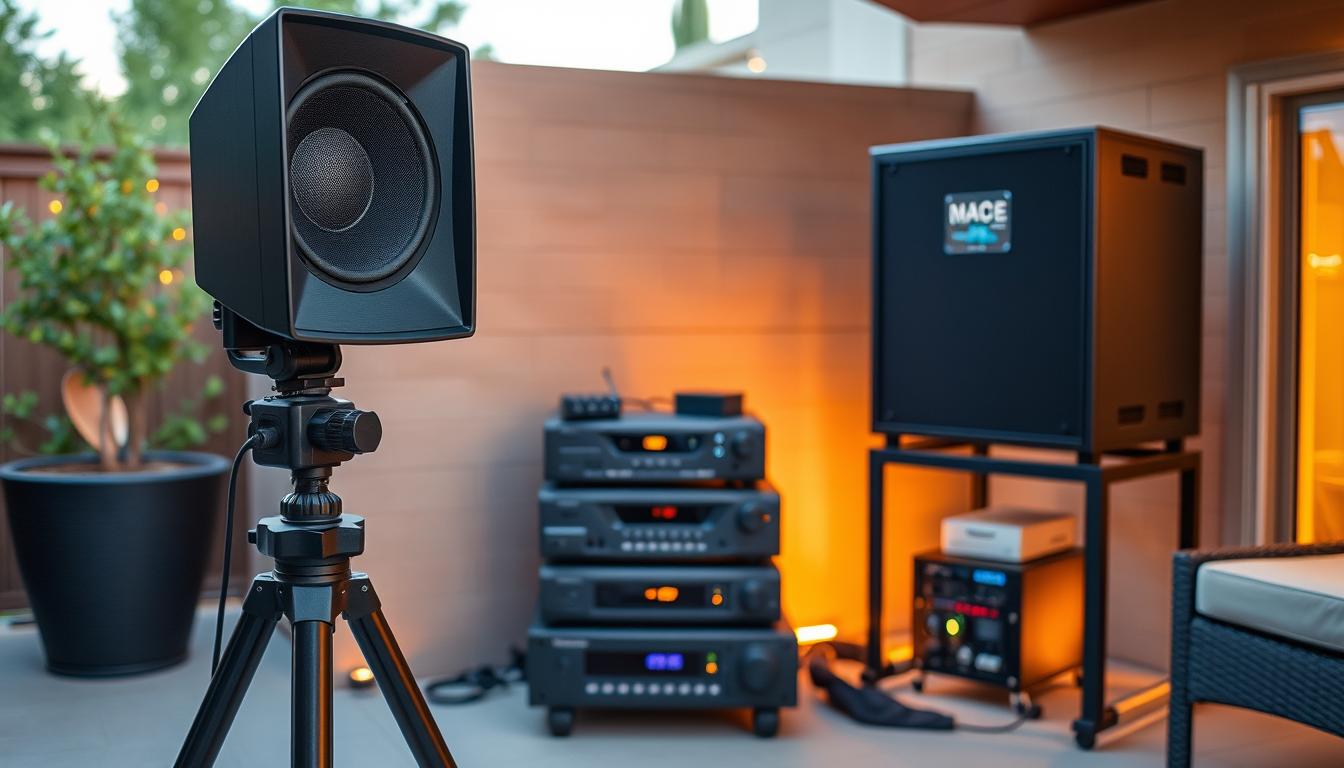
Surround Sound Versus PA Speakers
Choosing between a surround sound system and PA speakers depends on your needs. A 5.1 channel surround system offers a cinematic experience, ideal for smaller spaces. It includes a center speaker, subwoofer, and satellite speakers for immersive sound.
PA speakers, on the other hand, are better for larger areas. They deliver powerful sound but lack the directional channel effects of surround systems. For example, the Yamaha StagePas 400BT provides 200 watts per side, making it suitable for open spaces.
Wiring Solutions and Wireless Options
Proper wiring is essential for optimal sound quality. High-quality speaker wire ensures clear transmission and minimizes interference. For outdoor setups, weatherproof wire is recommended to withstand the elements.
Wireless audio options reduce clutter and simplify installation. Devices like the Yamaha WXA-50 support Wi-Fi and Bluetooth, offering flexibility. However, wireless systems may experience latency, so wired connections are preferred for critical setups.
| Feature | Surround Sound | PA Speakers |
|---|---|---|
| Sound Quality | Immersive, directional | Powerful, broad coverage |
| Setup Complexity | More components, longer setup | Simpler, fewer components |
| Best For | Small to medium spaces | Large outdoor areas |
“Investing in a high-quality audio system transformed our outdoor movie nights. The sound is crisp, and every detail comes to life.”
Positioning your speakers correctly enhances sound distribution. Place the center speaker near the screen for clear dialogue. Subwoofers should be slightly off-center for balanced bass. For larger spaces, consider upgrading to a 7.1 or 9.1 channel system.
By carefully selecting and configuring your audio system, you can create a memorable outdoor entertainment experience. Whether you choose surround sound or PA speakers, the right setup ensures every moment is heard in perfect clarity.
Setting Up and Securing Your Screen and Projector
Ensuring your outdoor entertainment setup is secure and stable is essential for a seamless experience. Proper mounting and structural support prevent accidents and enhance performance. Here’s how to set up your screen and projector for durability and reliability.
Mounting Tips and Structural Supports
Start by choosing the right mounting equipment. A sturdy stand or rack ensures your projector stays in place. For screens, consider wall mounts or portable frames. Anchoring components on either side prevents swaying in windy conditions.
DIY techniques like using PVC pipes or pop rivets can add extra stability. For example, one homeowner created a custom PVC frame for their screen, ensuring it remained secure during storms. Always test your setup before use to confirm stability.

Securing cords and cables is equally important. Use weatherproof cable ties or conduits to protect against moisture and wear. This prevents accidental disconnections and ensures uninterrupted viewing.
Here’s a quick guide to mounting essentials:
| Component | Mounting Solution | Tips |
|---|---|---|
| Screen | Wall mounts, portable frames | Anchor on either side for stability |
| Projector | Stands, racks | Use adjustable height for optimal viewing |
| Cords | Cable ties, conduits | Secure to prevent tripping hazards |
“Investing in a sturdy stand and proper anchoring made our outdoor setup feel like a professional theater.”
By following these tips, you can create a durable and reliable outdoor entertainment system. Proper mounting and securing ensure your setup lasts for years, providing endless enjoyment under the stars.
Integrating Cables, Receivers, and Other Accessories
Seamlessly integrating cables, receivers, and accessories is the key to a high-performing outdoor entertainment system. A well-organized setup ensures smooth streaming, crisp video, and immersive sound. Start by connecting your projector to the receiver using a high-quality HDMI cable. This ensures stable signal transmission and maintains video integrity.
Your receiver acts as the central hub, bridging the signal between streaming devices and the projector. For example, the Sony STR-DG520 supports multiple inputs, making it ideal for outdoor setups. Link your streaming device, like a Roku or Apple TV, to the receiver using another HDMI cable. Ensure all cables are securely plugged in to avoid signal loss.
Here are some tips for effective cable management:
- Use weatherproof cables to protect against moisture and wear.
- Route wires along walls or either side of your setup for a neat appearance.
- Secure cords with cable ties or conduits to prevent tripping hazards.
- Plan cable runs in advance to minimize clutter and ensure proper connections.
Choosing the right receiver is crucial for your audio system. Look for models with multiple channel support, like 5.1 or 7.1, for immersive sound. Wireless options, such as the Yamaha WXA-50, simplify installation but may experience latency. For critical setups, wired connections are preferred.
“Investing in high-quality HDMI cables and a robust receiver transformed our backyard into a premium entertainment space.”
By integrating all components into a cohesive system, you ensure maximum performance and ease of troubleshooting. Proper planning and organization create a setup that delivers unforgettable outdoor entertainment.
Budgeting Your Outdoor Home Theatre Project
Planning your finances carefully ensures a smooth and enjoyable outdoor theater experience. A well-thought-out budget helps you prioritize essential components while avoiding overspending. Let’s break down the costs and explore strategies to maximize value.
Cost Breakdown of Essential Components
Creating an outdoor entertainment system involves several key investments. Here’s a detailed look at the costs:
- Screen: Prices range from $40 for DIY blackout curtains to $2000 for high-end fabric screens.
- Projector: Expect to spend $300 for basic models and up to $1500 for high-lumen, high-resolution options.
- Audio System: A 2.0 sound system starts at $100, while surround sound setups can cost up to $1000.
- Cables and Accessories: Weatherproof HDMI cables and mounting hardware add $50-$200 to your budget.

Strategic spending on components like the projector and audio system yields better long-term value. For example, investing in a high-lumen projector ensures clear visuals even in bright conditions.
Budget-Friendly Alternatives and Upgrades
Not every component requires a premium budget. DIY solutions, like blackout curtains for screens, can save significant money. Similarly, portable projectors like the Anker Nebula Mars 3 offer excellent performance at a fraction of the cost.
Here’s a comparison of budget-friendly and high-end options:
| Component | Budget-Friendly | High-End |
|---|---|---|
| Screen | DIY Blackout Curtain ($40) | Elite Yard Master ($250) |
| Projector | Vimgo P10 ($150) | BenQ HT2060 ($999) |
| Audio System | Anker Soundcore Motion Boom ($100) | JBL Boombox 2 ($500) |
Allocating money for unexpected expenses is crucial. A contingency budget of 10-15% ensures you’re prepared for surprises like additional cables or weatherproofing needs.
“Balancing cost and quality ensures a more satisfying home theater experience. Spending wisely on key components makes all the difference.”
By measuring money spent against performance, you can create a setup that delivers exceptional value. Whether you choose budget-friendly options or splurge on high-end upgrades, careful planning ensures your outdoor theater project stays within budget.
DIY Installation Techniques for Outdoor Systems
Creating a DIY outdoor entertainment system can be both cost-effective and rewarding. With a little creativity and the right materials, you can build a setup that rivals professional installations. This section will guide you through practical techniques and safety measures to ensure your project is a success.
Using Pop Rivets, PVC, and DIY Shelves
Pop rivets and PVC pipes are versatile materials for building a sturdy stand or frame. For example, you can construct a custom PVC frame for your screen, ensuring it remains secure even in windy conditions. DIY shelves made from plywood or reclaimed materials can also serve as a stable base for your projector.
One DIY enthusiast shared, “Using PVC pipes and pop rivets, I created a portable frame that’s easy to assemble and disassemble. It’s perfect for our backyard movie nights.” This idea not only saves money but also allows for customization based on your space and needs.
Creative Setup and Safety Measures
When planning your setup, consider creative solutions like using blackout curtains as a temporary screen or repurposing old furniture for storage. Always prioritize safety by securing wires and cords with weatherproof ties or conduits. This prevents tripping hazards and protects against moisture damage.
Here’s a quick guide to ensuring a safe and efficient installation:
- Anchor your screen and projector stand to prevent swaying.
- Use weatherproof materials for outdoor durability.
- Plan cable runs in advance to minimize clutter.
- Test your system before finalizing the setup.
“Taking the time to secure our setup made all the difference. It’s sturdy, safe, and looks professional.”
By following these tips, you can create a DIY outdoor entertainment system that’s both functional and reliable. Whether you’re using pop rivets, PVC, or custom shelves, careful planning ensures a setup that delivers unforgettable experiences.
Troubleshooting Common Setup Issues
Encountering issues during setup is common, but knowing how to troubleshoot can save you time and frustration. From loose connections to mismatched HDMI cables, small problems can disrupt your entire system. Here’s how to diagnose and resolve these challenges effectively.
Start by checking all cables and connections. A loose HDMI cable or improperly secured speaker wire can cause significant issues. Ensure the right number of connections are in place and test each component individually to isolate the problem.
Here’s a quick guide to common issues and their solutions:
| Issue | Possible Cause | Solution |
|---|---|---|
| No Signal | Loose HDMI cable | Reconnect and secure the cable |
| Poor Sound Quality | Incorrect speaker placement | Reposition speakers for optimal sound |
| Intermittent Connection | Faulty cable | Replace with a high-quality cable |
Sometimes, a simple thing like a power cycle can resolve issues. Turn off all devices, unplug them, and wait a few minutes before restarting. This often clears minor glitches and restores functionality.
For more complex problems, follow these steps:
- Check if all devices are powered on and connected properly.
- Verify that the correct input source is selected on your setup.
- Test each component individually to identify the faulty thing.
“Taking the time to troubleshoot methodically saved us hours of frustration. A loose HDMI cable was the culprit, and fixing it was quick and easy.”
By being methodical and patient, you can resolve most setup issues efficiently. Whether it’s a loose cable or a misconfigured speaker, these troubleshooting tips ensure your system runs smoothly.
Enhancing Image and Sound Quality in Outdoor Environments
Maximizing image and sound quality outdoors requires precise adjustments and careful planning. Whether you’re hosting a family movie night or a casual gathering, every detail matters. Fine-tuning your setup ensures crisp visuals and immersive audio, even in challenging outdoor conditions.
Adjusting for Ambient Light Conditions
Ambient light significantly impacts your screen’s visibility. Too much brightness can wash out images, reducing overall quality. To combat this, position your screen in a shaded area or use a high-lumen projector like the Panasonic PT-AX200U. Adjusting brightness and contrast settings can also enhance clarity.
For daytime viewing, consider a screen with reflective properties. This helps maintain image quality even in direct sunlight. Testing different angles and positions ensures optimal results for your movie nights.
Balancing Sound Quality
Outdoor environments pose unique challenges for sound distribution. To achieve balanced audio, position your speakers strategically. A 5.1 channel surround system, like the Sony SS-CR300, delivers immersive sound for smaller spaces. For larger areas, PA speakers like the Yamaha StagePas 400BT provide broader coverage.
Calibrating each channel ensures clear dialogue and rich bass. Use a sound meter to test volume levels and adjust accordingly. This guarantees every sound detail is heard, enhancing the overall experience.
Testing Video Output
Ensuring high video quality is essential for an enjoyable viewing experience. Test your projector’s output by playing a high-resolution movie or test pattern. Check for sharpness, color accuracy, and brightness consistency across the screen.
If issues arise, adjust the projector’s settings or replace faulty HDMI cables. Regular testing ensures your setup meets high standards for every viewing session.
Practical Tips from Experienced Installers
Here are some expert tips to enhance your outdoor setup:
- Use weatherproof cables to protect against moisture and wear.
- Position the center speaker near the screen for clear dialogue.
- Test your setup before finalizing to ensure all components work seamlessly.
| Component | Adjustment | Benefit |
|---|---|---|
| Projector | Increase brightness and contrast | Enhanced visibility in bright conditions |
| Speakers | Calibrate each channel | Balanced and immersive sound |
| Screen | Position in shaded area | Improved image quality |
“Taking the time to fine-tune our outdoor setup made all the difference. The visuals are stunning, and the sound is crystal clear.”
By implementing these adjustments, you can create an outdoor entertainment system that delivers exceptional quality for every movie night. Whether it’s optimizing light conditions or balancing sound, every detail enhances the overall experience.
Connecting External Devices and Streaming Content
Integrating external devices into your outdoor setup ensures a seamless streaming experience. The right player and proper connections enhance both video and audio quality, making every movie night unforgettable. Whether you prefer a DVD, Blu-ray, or streaming device, careful selection and setup are key.
Choosing Source Devices and Media Players
Selecting the best player depends on your viewing habits. Streaming devices like Roku or Apple TV offer versatility, while DVD and Blu-ray players provide high-quality playback. Ensure your device supports HDMI connections for optimal signal transmission.
Positioning your devices is equally important. Place them on either side of your projector for easy access and neat cable management. This setup keeps your space organized and ensures smooth operation.
| Device | Features | Best For |
|---|---|---|
| Roku Ultra | 4K streaming, voice remote | Streaming enthusiasts |
| Sony Blu-ray Player | High-resolution playback, HDMI output | Movie collectors |
| Apple TV 4K | Dolby Vision, app integration | Apple ecosystem users |
Combining multiple devices can create a versatile entertainment hub. For example, one homeowner integrated a Roku and Blu-ray player into their setup, allowing them to switch between streaming and physical media effortlessly.
“Choosing the right devices and connecting them properly transformed our outdoor space into a true home theater.”
By carefully selecting and positioning your devices, you can enjoy a seamless and high-quality outdoor viewing experience. Whether you’re streaming or playing physical media, the right setup ensures every detail shines.
Maintenance and Safety Tips for Outdoor Theatres
Keeping your outdoor entertainment system in top shape ensures long-lasting enjoyment and safety. Regular maintenance and thoughtful planning can protect your investment and enhance your viewing experience. Here’s how to keep your setup running smoothly while ensuring safety for everyone involved.
Weatherproofing and Component Care
Outdoor environments can be harsh on electronic components. Protect your screen, speaker, and receiver from rain, wind, and temperature fluctuations. Use weatherproof covers or storage solutions when not in use. For added protection, consider installing a patio cover or awning to shield your equipment.
Surge protectors are essential for safeguarding your system from power fluctuations. A quality surge protector can reduce the risk of damage by up to 70%. Regularly clean your projector lens and air filters to maintain optimal performance. Dust accumulation can reduce efficiency by up to 30%.
Neighbor Considerations and Safe Setup Removal
Be mindful of your neighbors when setting up your outdoor theater. Position your speaker system to minimize noise disturbance. Using directional speakers or volume control can help maintain a peaceful environment. A thoughtful setup ensures everyone can enjoy the experience without complaints.
At the end of a night, safely remove and store your equipment. Disconnect all cords and secure them to prevent tripping hazards. Store your screen and speaker system in a dry, protected area to avoid weather-related damage. Proper storage extends the lifespan of your components.
Here are some additional tips for maintaining your outdoor theater:
- Inspect cords and connections regularly for wear and tear.
- Use weatherproof cords and cable ties for added durability.
- Test your system before each use to ensure all components are functioning properly.
“Taking the time to maintain our outdoor setup has made a huge difference. It’s been running smoothly for years, and we’ve avoided costly repairs.”
By following these maintenance and safety tips, you can enjoy your outdoor theater for years to come. Proper care and consideration ensure a seamless experience for you and your neighbors.
Conclusion
Creating an outdoor cinematic experience is easier than you think with the right planning and tools. By following the step-by-step process outlined in this guide, you can achieve a seamless setup that delivers stunning visuals and immersive sound. Planning is key—choosing quality components like a high-lumen projector, durable screen, and powerful speaker system ensures long-lasting enjoyment.
Every component plays a crucial role, from the screen to the media player. Applying DIY techniques and troubleshooting tips can save time and enhance your setup. With detailed preparation, one can transform their backyard into a memorable theater space.
This guide provides everything you need to confidently create your perfect outdoor theater. Implementing these ideas will turn your space into an enjoyable retreat for movie nights and gatherings. Start planning today and bring your vision to life!
FAQ
What are the benefits of setting up an outdoor home theatre?
An outdoor home theatre enhances family experiences by creating a unique entertainment space. It expands your home’s functionality, allowing you to enjoy movies, sports, and streaming content under the stars.
What essential components are needed for an outdoor theater setup?
You’ll need a screen, projector, and sound system for a complete setup. Additional components like a receiver, HDMI cables, and a media player are also essential for seamless operation.
How do I choose the right screen for my outdoor setup?
Decide between inflatable screens for portability or fabric screens for durability. For a budget-friendly option, consider DIY solutions like blackout curtains.
What should I look for in an outdoor projector?
Focus on lumens for brightness and resolution for image quality. A projector with at least 3,000 lumens ensures clear visuals, even in ambient light conditions.
How can I optimize audio for an outdoor theatre?
Choose between surround sound for immersive audio or PA speakers for louder, more robust sound. Wireless options reduce cable clutter, while proper wiring ensures consistent performance.
How do I secure my screen and projector outdoors?
Use sturdy mounts or structural supports like PVC frames. Ensure the screen is taut and the projector is level for the best viewing experience.
What’s the average cost of setting up an outdoor home theatre?
Costs vary based on components. A budget setup can start around 0, while a high-end system with premium projectors, speakers, and screens can exceed ,000.
How do I connect external devices to my outdoor theatre?
Use HDMI cables to link devices like Blu-ray players or streaming devices to your projector. A receiver can simplify connections and improve sound quality.
What maintenance tips ensure longevity for outdoor theatre components?
Weatherproof your setup by using covers or storing components indoors when not in use. Regularly check cables and connections for wear and tear.
How can I improve image and sound quality outdoors?
Adjust for ambient light by choosing a brighter projector or using a blackout screen. Position speakers strategically to minimize sound loss and enhance clarity.