Did you know that 70% of home theatre owners report that automating their lighting significantly enhances their viewing experience? This surprising statistic highlights the growing trend of using smart technology to create a more immersive environment. By synchronizing various components, you can transform your space into a dedicated cinema.
Smart systems streamline traditional remotes and manual adjustments, offering unparalleled convenience. Imagine dimming the lights or changing their color with a single command. Brands like Philips Hue and LIFX are leading the way, providing vibrant customization options that sync with your on-screen content.
Centralized smart systems not only simplify operations but also enhance the overall ambiance. They allow you to control multiple elements seamlessly, ensuring a cohesive and immersive experience. Whether you’re watching a movie or playing a game, smart technology can elevate your entertainment to new heights.
Key Takeaways
- Automating lighting enhances the viewing experience for 70% of home theatre owners.
- Smart systems streamline operations, offering convenience and simplicity.
- Brands like Philips Hue and LIFX provide vibrant customization options.
- Centralized systems synchronize multiple components for a cohesive experience.
- Smart technology transforms your space into a dedicated cinema.
The Evolution of Home Theatre and Smart Home Integration
Gone are the days of juggling multiple remotes for a single movie night. The way we manage our entertainment spaces has transformed dramatically. Today, centralized systems have replaced the chaos of fragmented controls, offering a streamlined and immersive experience.

From Multiple Remotes to Centralized Control
In the past, managing a home theatre meant dealing with a pile of remotes. Each device—your TV, sound system, and even the lights—required separate adjustments. This often disrupted the flow of your viewing experience.
Centralized systems have solved this issue. With a single app or voice command, you can now manage every aspect of your entertainment space. This shift not only simplifies operations but also enhances the overall ambiance of your room.
The Role of Automation in Modern Home Theatres
Automation has become a cornerstone of modern setups. Imagine dimming the lights as your movie starts or adjusting the sound with a simple voice command. These features create a seamless and immersive experience.
Voice assistants like Alexa and Google Assistant have made this possible. Paired with app-controlled systems, they allow you to customize your space effortlessly. This level of control ensures that your focus remains on the entertainment, not the setup.
By embracing automation, you can transform your viewing space into a true cinematic haven. The evolution from manual controls to smart solutions has redefined what it means to enjoy a movie at home.
Understanding the Role of Smart Lighting in Creating Ambiance
The right lighting can make or break your entertainment space. Smart solutions play a crucial role in setting the mood, whether you’re watching a movie or gaming. By adjusting brightness and color, you can create an environment that enhances your viewing experience.

Dimming Capabilities & Color-Changing Features
Dimmable lights allow you to adjust the level of brightness to match the content on your screen. For example, dimming the lights during a movie can reduce glare and improve focus. Color-changing features add another layer of customization, letting you sync hues with the visuals on your TV.
These features aren’t just about aesthetics—they’re practical. Proper lighting reduces eye strain, especially during long viewing sessions. By tailoring the brightness and color, you can create a comfortable and immersive atmosphere.
Smart systems also offer user-friendly interfaces. Apps and voice controls make it easy to adjust settings without interrupting your entertainment. Whether you prefer a cozy warm glow or a vibrant burst of color, these tools put you in control.
For the best results, consider bias lighting. Placing LED strips behind your screen balances contrast and reduces eye fatigue. This simple solution can significantly enhance your viewing experience.
Integrating Lighting Control with Home Theatre Systems
Transforming your viewing space into a cinematic haven starts with the right setup. By pairing smart technology with your entertainment system, you can create an immersive environment tailored to your preferences. Here’s how to get started.
Step-by-Step Setup for Seamless Integration
Begin by selecting compatible devices. Brands like Philips Hue and LIFX offer products designed for smart home integration. Pair your lights with your home network using the manufacturer’s app. This step ensures all devices communicate smoothly.
Next, configure your system. Use the app to group lights and assign them to specific scenes. For example, create a “Movie Night” scene that dims overhead lights and activates bias lighting behind your screen. This setup enhances the entertainment experience.
Finally, sync your lights with your smart home hub. Platforms like Alexa or Google Assistant allow you to control everything with voice commands. This integration simplifies adjustments, letting you focus on the content.

Tips for Optimizing Lighting for Different Viewing Experiences
For movie nights, dim the lights to reduce glare and create a cozy mood. Use warm tones to mimic the ambiance of a traditional cinema. If you’re gaming, opt for vibrant colors that sync with on-screen action for a dynamic experience.
Consider bias lighting for long viewing sessions. Placing LED strips behind your screen balances contrast and reduces eye strain. This simple addition can significantly enhance your entertainment setup.
Use voice commands or app controls to adjust lighting without interrupting your experience. For example, say, “Alexa, dim the lights to 20%” as your movie starts. These small tweaks make a big difference in creating the perfect mood.
Choosing the Right Smart Lighting Ecosystem for Your Home Theatre
Selecting the perfect smart lighting setup can elevate your entertainment space to new heights. With so many options available, it’s essential to compare leading brands like Philips Hue, LIFX, and Govee. Each offers unique features, app interfaces, and scene customization capabilities to enhance your viewing experience.
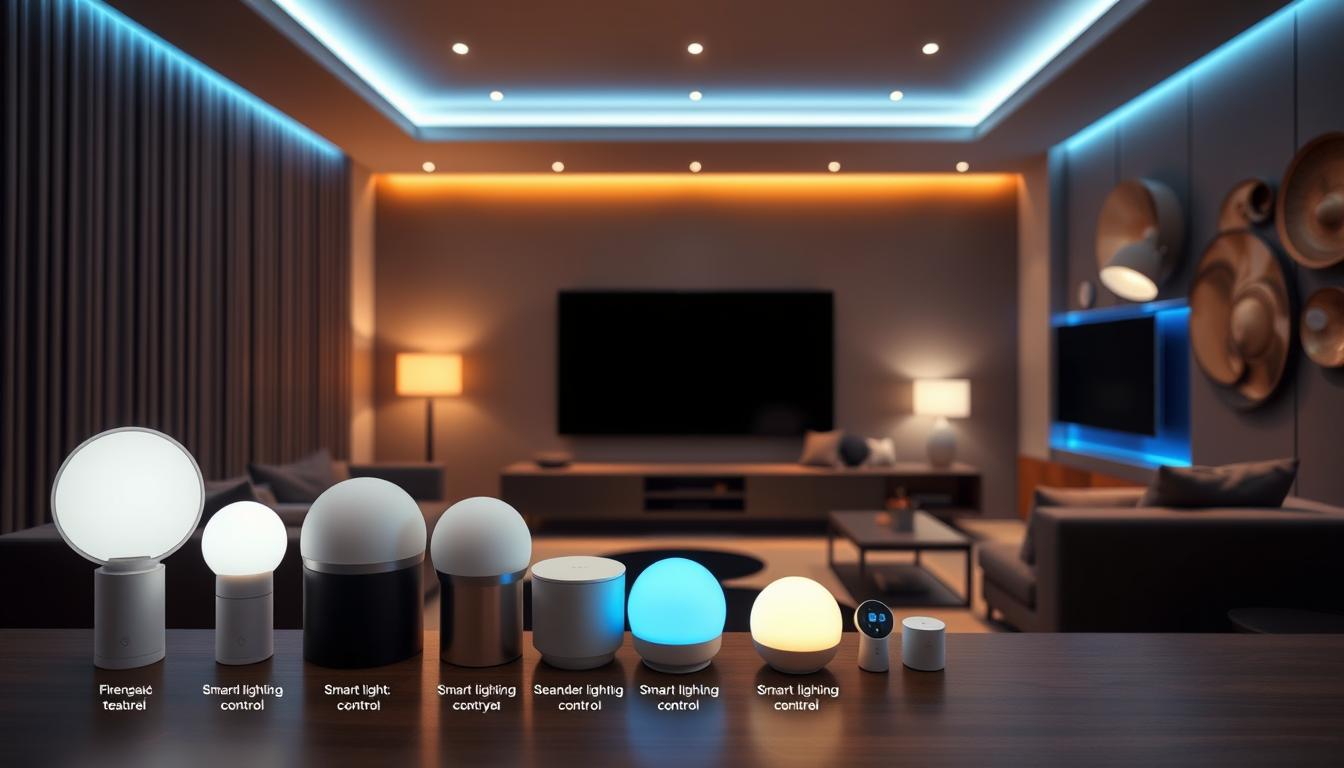
Comparing Philips Hue, LIFX, and Govee Options
Philips Hue is a popular choice for its extensive product range and seamless integration with other smart home devices. Its app allows you to create custom scenes that sync with your content, making it ideal for movie nights. The system supports voice commands via Alexa and Google Assistant, adding convenience to your setup.
LIFX stands out for its vibrant color options and energy efficiency. Unlike Philips Hue, LIFX bulbs don’t require a hub, simplifying the installation process. The app offers intuitive controls, letting you adjust brightness and color to match your scene preferences. This makes it a great option for those who want a plug-and-play solution.
Govee provides budget-friendly options without compromising on features. Its app includes pre-set scenes designed for different activities, from gaming to relaxing. Govee’s devices are also compatible with voice assistants, ensuring easy control. For those new to smart lighting, Govee offers an affordable entry point.
When choosing a product, consider factors like compatibility, ease of use, and customization options. Philips Hue excels in integration, LIFX in simplicity, and Govee in affordability. Each brand offers unique advantages, so your decision should align with your specific needs and preferences.
For the best results, test different devices to see which one enhances your content the most. Whether you prefer vibrant colors or subtle tones, the right smart lighting ecosystem can transform your space into a cinematic haven.
Voice and App Control: Enhancing Convenience and Customization
Voice and app controls are revolutionizing how you manage your entertainment space. These tools allow you to personalize your environment effortlessly, eliminating the need for manual adjustments. Whether you’re dimming the lights or selecting a specific scene, the process is now smoother than ever.

Using voice assistants like Alexa or Google Assistant, you can adjust settings with simple commands. For example, saying, “Dim the lights to 30%,” instantly creates a cozy atmosphere. Apps also provide intuitive interfaces, letting you control your setup from your smartphone.
Best Practices for Using Voice Assistants
To get the most out of voice commands, ensure your devices are properly configured. Start by linking your smart bulbs or strips to your preferred assistant. This step ensures seamless communication between your devices.
Next, create custom commands for specific activities. For instance, set up a “Movie Night” command that dims the lights and activates bias lighting. This setup enhances your viewing experience without interrupting the flow.
Finally, test your commands to ensure they work as intended. If you encounter issues, check your network connection or device compatibility. Troubleshooting early prevents disruptions during your entertainment sessions.
| Platform | Features | Best Use Case |
|---|---|---|
| Alexa | Voice commands, routines, multi-device control | Hands-free adjustments during movies or gaming |
| Google Assistant | Custom commands, integration with Google Home | Personalized lighting scenes for different activities |
| Smartphone Apps | Real-time adjustments, scheduling, scene creation | Detailed control and monitoring from your phone |
Adjusting brightness and selecting the right type of lighting scene can significantly enhance your experience. For example, warm tones are ideal for relaxing, while vibrant colors work well for gaming. Use your app or voice assistant to switch between scenes effortlessly.
For a reliable setup, ensure your devices are updated and connected to a stable network. Regular maintenance prevents connectivity issues and ensures smooth operation. With these best practices, you can enjoy a seamless and customized entertainment space.
Advanced Automation Scenes for Immersive Experiences
Imagine stepping into a cinematic world where every detail enhances your viewing experience. Advanced automation scenes take your entertainment space to the next level, creating an ambiance that feels like a private theatre. By syncing dynamic effects to on-screen content and crafting pre-show routines, you can transform your room into a true cinematic haven.

Creating Pre-Show Lighting Routines
Pre-show routines set the stage for your entertainment. For example, you can program your system home to dim the lights gradually as the movie starts. This builds excitement and signals the beginning of the show. Adding soft music or sound effects can further enhance the ambiance.
Another example is using colored lights to mimic the glow of a theatre marquee. This simple yet effective technique creates a sense of anticipation. By automating these routines, you ensure a seamless transition into your viewing experience.
Triggering Dynamic Lighting Effects with Content
Dynamic lighting effects sync with the content on your screen, immersing you in the action. For example, during a thunderstorm scene, your lights can flash to mimic lightning. This adds a layer of realism that enhances the ambiance.
Brands like Philips Hue and LIFX offer tools to create these effects. Their apps allow you to customize scenes for different genres, from action-packed thrillers to romantic dramas. This level of personalization ensures your lighting home setup matches the mood of every scene.
| Automation Feature | Benefit | Example Use Case |
|---|---|---|
| Pre-show routines | Builds anticipation and sets the mood | Dimming lights and playing soft music before a movie |
| Dynamic effects | Enhances immersion and realism | Flashing lights during a thunderstorm scene |
| Custom scenes | Personalizes the viewing experience | Warm tones for romantic films, vibrant colors for action |
By integrating these advanced techniques, you can create a world of entertainment that feels both magical and effortless. Whether you’re hosting a movie night or enjoying a solo viewing session, automation ensures your space is always ready for the show.
Incorporating Multi-Room Audio and Climate Control
Creating the ultimate home cinema experience goes beyond just visuals and sound. To truly immerse yourself, you need to consider how multi-room audio and automated climate control work together. These elements ensure every aspect of your space contributes to a cohesive atmosphere.
Multi-room audio systems allow you to enjoy synchronized sound throughout your house. Whether you’re in the kitchen or the living room, the audio seamlessly follows you. This setup eliminates the need to adjust settings manually, saving you time and effort.

Automated climate control plays a crucial role in audience comfort. During long viewing sessions, maintaining the right temperature is essential. Smart thermostats adjust settings based on your preferences, ensuring you stay cozy without interruptions.
Here’s how to synchronize these elements for optimal performance:
- Use a central hub to manage audio and climate settings.
- Create scenes that adjust both sound and temperature with a single command.
- Test your setup to ensure all devices work flawlessly over time.
Advanced systems maintain convenience and balance in a multi-room environment. For example, you can program the audio to lower volume in unused rooms while keeping the temperature consistent. This approach ensures every element works together to create the perfect entertainment atmosphere.
By integrating multi-room audio and climate control, you transform your space into a seamless, immersive experience. These systems not only enhance convenience but also elevate your overall enjoyment.
Maximizing Safety and Security in a Smart Home Theatre
Your home theater isn’t just about entertainment—it’s also about safety and security. Protecting your high-end audio and visual equipment ensures uninterrupted enjoyment. By integrating advanced security measures, you can create a space that’s both immersive and secure.

How Surveillance Systems and Smart Locks Enhance Protection
Surveillance systems and smart locks are essential for safeguarding your home theater. Smart cameras with AI capabilities can detect unusual activities, sending real-time alerts to your phone. This allows you to respond quickly, even when you’re away.
Smart locks add an extra layer of security. They allow you to control access remotely, ensuring only authorized individuals can enter. Paired with a smart home system, these devices work together to create a secure environment.
The Role of Smart Lighting in Deterring Threats
Smart lighting isn’t just for ambiance—it’s also a powerful security tool. Motion-activated lights can deter intruders by simulating occupancy. For example, lights programmed to turn on and off at specific times can make it appear as if someone is home.
Studies show that homes with motion-activated lights experience a 30% reduction in break-ins. By integrating smart lighting with your security setup, you can enhance both safety and convenience.
| Security Feature | Benefit | Example Use Case |
|---|---|---|
| Surveillance Cameras | Real-time monitoring and alerts | Detecting unusual activity during movie nights |
| Smart Locks | Remote access control | Locking doors from your phone while watching a film |
| Motion-Activated Lights | Deterrence through simulated occupancy | Turning on lights when motion is detected near the theater |
For a truly immersive experience, consider combining these security features with your home cinema setup. For example, integrating smart lighting solutions not only enhances ambiance but also boosts safety.
By prioritizing security, you can enjoy your entertainment space with peace of mind. A well-protected home theater ensures uninterrupted enjoyment, whether you’re watching a movie or hosting a gaming session.
Overcoming Connectivity and Integration Challenges
A seamless theater experience relies heavily on a strong network foundation. Without reliable connectivity, even the most advanced setups can fall short. Ensuring your devices work together smoothly is key to creating an immersive environment.
Ensuring Reliable Wi-Fi and Network Support
A stable Wi-Fi network is essential for supporting multiple devices simultaneously. Your home system needs to handle everything from streaming to smart controls without lag. Start by choosing a router with sufficient bandwidth and range.
Place your router in a central location to minimize dead zones. Avoid placing it near thick walls or large appliances that can interfere with the signal. For larger spaces, consider a mesh network. These systems use multiple nodes to extend coverage, ensuring every corner of your theater stays connected.
Regular software updates are also crucial. They fix bugs, improve performance, and enhance security. Keeping your devices up-to-date ensures your home system runs smoothly and remains compatible with new technologies.
Strategies for Seamless Integration
Integrating diverse systems can be challenging, but it’s not impossible. Start by choosing devices that use the same communication protocols, like Z-Wave or Zigbee. These standards ensure compatibility and reduce connection issues.
Plan your network design carefully. Avoid overcrowding by assigning specific channels to different devices. This reduces interference and improves performance. For example, dedicate one channel for streaming and another for smart controls.
Finally, test your setup regularly. Check for weak spots in your network and adjust device placements as needed. A well-designed home system ensures uninterrupted entertainment and a truly immersive experience.
Conclusion
Creating a truly immersive entertainment space is easier than ever with the right automation tools. By combining dynamic bulb options, advanced voice control, and seamless connectivity, you can transform your setup into a cinematic haven. The right color schemes and synchronized audio from your speaker system enhance every moment.
Choosing the right ecosystem ensures compatibility and ease of use. Whether you’re adjusting brightness or syncing effects, these technologies elevate your experience. A robust network foundation keeps everything running smoothly, so you can focus on enjoying your favorite content.
Start implementing these strategies today to future-proof your space. For more tips on creating an impressive setup without breaking the bank, check out these budget-friendly upgrades. With the right tools, your entertainment area will be both functional and unforgettable.
FAQ
How can smart lighting improve my home theatre experience?
Smart lighting enhances your viewing experience by allowing you to adjust brightness and color to match the mood of your content. It creates an immersive atmosphere, whether you’re watching a movie or playing a game.
What are the benefits of integrating voice control with my home theatre system?
Voice control adds convenience by letting you adjust lighting, audio, and other settings without lifting a finger. It also allows for hands-free operation, making your entertainment setup more user-friendly.
Which smart lighting brands work best with home theatres?
Philips Hue, LIFX, and Govee are popular choices for home theatres. They offer dimming, color-changing features, and seamless integration with smart home systems for a tailored experience.
How do I set up lighting automation for different viewing scenarios?
Use your smart home app to create scenes like “Movie Mode” or “Game Night.” These scenes can adjust brightness, color, and even trigger dynamic effects based on the content you’re watching.
Can I connect my multi-room audio system with smart lighting?
Yes, many smart lighting ecosystems integrate with multi-room audio systems. This allows you to synchronize lighting and sound for a cohesive entertainment experience across your home.
What steps can I take to ensure reliable connectivity for my smart home theatre?
Invest in a strong Wi-Fi network and consider using mesh routers for better coverage. Ensure all devices are updated and compatible with your smart home system for seamless performance.
How can I use smart lighting to enhance safety in my home theatre?
Pair your lighting with motion sensors or surveillance systems to automatically illuminate pathways or alert you to activity. This adds an extra layer of security to your space.