Modern entertainment spaces demand more than basic internet connections. With 20+ devices competing for bandwidth in average households, traditional routers often crumble under 4K streaming, multiplayer gaming, and synchronized smart lighting. This connectivity crisis becomes glaringly obvious when your surround sound cuts out during movie night or your gaming console lags mid-battle.
Mesh technology revolutionizes home connectivity by creating a unified web of access points. Unlike solitary routers that broadcast signals from one location, these systems blanket your space with consistent coverage. Three strategically placed nodes can cover 4,500 square feet – enough for most multi-story homes.
The real magic happens with bandwidth distribution. Intelligent mesh systems automatically route traffic between nodes, prioritizing critical devices like streaming boxes and voice-controlled hubs. This means no more choosing between your teenager’s video call and your 4K movie marathon.
Key Takeaways
- Traditional routers create dead zones that disrupt smart home theater performance
- Mesh systems provide 3x more coverage than standard Wi-Fi setups
- Intelligent bandwidth management prevents device competition
- Easy scalability supports growing smart home ecosystems
- Seamless roaming maintains connections between floors
- Professional-grade security protects connected entertainment devices
Understanding Mesh Networks and Smart Theater Components
A mesh network transforms your home theater by eliminating connectivity issues. Unlike single-router setups that struggle with thick walls or multiple floors, these systems create a unified web of signals. Every corner of your entertainment space stays connected, whether you’re streaming Dolby Atmos or controlling smart lighting.

What Is a Mesh Network?
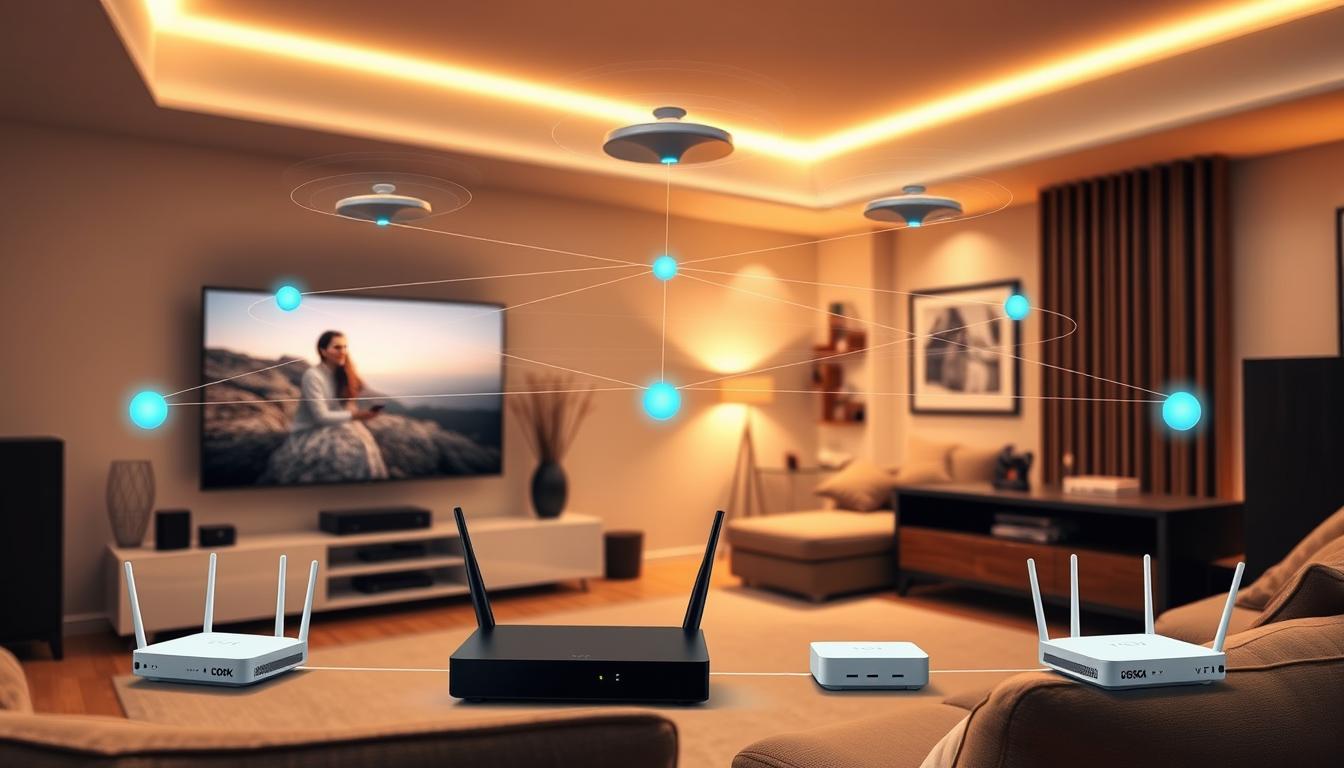
This system uses a primary router connected to your modem and satellite nodes that rebroadcast the signal. Nodes communicate directly with each other, forming a chain that blankets your space. The result? Consistent coverage without dead zones, even behind that sectional sofa where your subwoofer lives.
Traditional setups force you to manually switch between weak networks. Mesh devices maintain one network name, automatically routing your smart TV or console to the strongest signal. No more buffering during peak scenes or dropped connections mid-game.
Benefits for Your Smart Theater Experience
Mesh networks prioritize bandwidth-hungry activities like 4K streaming. They analyze traffic in real time, ensuring your projector doesn’t compete with voice assistants. Up to 50+ devices can operate smoothly—ideal for surround sound systems and IoT controls.
Intelligent coverage adapts as you add gaming PCs or streaming boxes. Nodes self-organize to find optimal connections, bypassing interference from microwaves or baby monitors. Your entertainment hub stays future-proofed for emerging tech like 8K video walls.
Why You Might Need a Mesh Network for Your Home Theater
Contemporary homes often struggle with connectivity demands that single routers can’t satisfy. Thick walls, multiple floors, and bandwidth-hungry devices create invisible barriers that disrupt movie nights and gaming marathons. This becomes critical when your entertainment hub sits far from the primary router.

Eliminating WiFi Dead Zones
Dead zones plague 68% of homes with traditional setups, according to recent connectivity studies. These silent killers emerge behind stone fireplaces, in basement theaters, or near metal appliances. Your surround sound system might stutter just as the movie’s climax hits.
Mesh systems deploy nodes that act like signal relay stations. They fill coverage gaps by creating overlapping networks. Three units can maintain signal strength across 5,000 sq ft – perfect for detached home theaters or loft spaces.
Ensuring Seamless Streaming and Gaming
Bandwidth battles between 4K projectors and gaming consoles cripple performance. Standard routers allocate data equally, starving critical devices. A 2023 FCC report shows mesh setups reduce buffering by 89% during peak usage.
These systems prioritize traffic based on your activities. Streaming boxes get highway lanes while smart bulbs use side streets. You’ll never see pixelation during streaming or lag spikes in multiplayer matches again.
Consistent speeds matter most when using voice-controlled ecosystems. Nodes automatically switch devices to optimal connections as you move between rooms. Your whole-home audio system stays synced, even during firmware updates.
How to Set Up a Mesh Network for Smart Theater Components
Creating reliable coverage for media-heavy spaces requires precision. Start with your manufacturer’s app – the control center for configuring nodes and managing device priorities. These tools simplify complex network adjustments through intuitive interfaces.
Essential Gear and Digital Configuration
Your kit should include a primary mesh router, satellite units, and Ethernet cables. Connect the main node directly to your modem using the supplied cable. Power up both devices before launching the companion app.
Follow these critical steps:
| Step | Action | Purpose |
|---|---|---|
| 1 | Scan node QR codes | Links hardware to app |
| 2 | Name network zones | Identifies theater nodes |
| 3 | Activate satellites | Expands coverage radius |
Strategic Node Positioning Techniques
Place secondary units 30-50 feet from the main router. Avoid hiding them behind media consoles or metal objects. Elevate nodes on shelves rather than floor placement for better signal dispersion.
For multi-level homes, position one satellite directly above the primary unit. This vertical alignment creates strong connections through ceilings. Test placements using your app’s signal strength meter before finalizing positions.
Remember to improve signal strength by keeping nodes away from competing electronics like wireless speakers. Proper spacing ensures 5GHz bands remain interference-free for 4K streaming devices.
Optimizing Your Mesh Network Performance
Maintaining peak connectivity requires ongoing adjustments and smart monitoring. Your system’s performance depends on both physical configurations and digital fine-tuning.

Enhancing Signal Strength Throughout Your Home
Use your ISP’s app to identify weak zones affecting streaming boxes or gaming consoles. Relocate nodes 10-15 feet closer to high-traffic areas like media centers. Elevated positions on bookshelves often outperform floor-level placement.
Analytics tools reveal how walls or appliances block signal strength. Test different arrangements during 4K movie playback to find optimal layouts. Some systems let you prioritize entertainment devices for dedicated bandwidth allocation.
Regular Maintenance and Firmware Updates
Schedule monthly checks using these methods:
| Task | Frequency | Impact |
|---|---|---|
| Node health scans | Weekly | Prevents speed drops |
| Firmware updates | Automatic | Security patches |
| Device audits | Monthly | Removes unused connections |
Updated firmware often boosts speeds by 15-20% through improved protocols. Enable auto-updates to ensure compatibility with new streaming formats like Dolby Vision. Always reboot nodes after installations to activate enhancements.
Integrating Mesh Networks with Your Smart Home Ecosystem
Your entertainment hub becomes smarter when all components communicate flawlessly. Modern mesh systems act as digital conductors, synchronizing streaming boxes, voice assistants, and automated controls into one responsive orchestra.

Seamless Device and App Connectivity
Start by adding devices through your mesh app. Most systems recognize:
- 4K streaming players
- Gaming consoles
- Voice-controlled speakers
- Smart lighting panels
Enable bandwidth prioritization for critical gear like media servers. NETGEAR Orbi lets you assign “VIP lanes” to gaming PCs through simple app sliders. Voice integration with Alexa allows commands like “Boost PlayStation connection” during online matches.
Security Best Practices for Your Network
Protect your entertainment ecosystem with these measures:
| Feature | Function | Benefit |
|---|---|---|
| WPA3 Encryption | Data protection | Blocks unauthorized access |
| Guest Networks | Visitor access | Isolates personal devices |
| Device Pausing | Connection control | Limits screen time |
Schedule automatic security scans through your mesh app. Parental controls in premium systems let you block sketchy streaming sites while allowing approved platforms. Always separate security cameras onto dedicated channels to prevent bandwidth conflicts.
Advanced Tips for a Robust Mesh WiFi Experience
Professional-grade performance demands more than basic configurations. These strategies tackle persistent connectivity challenges while preparing your entertainment space for tomorrow’s tech.
Troubleshooting Common Connectivity Issues
Signal dropouts often stem from physical obstructions or electronic interference. Move router satellites away from metal surfaces and appliances like microwaves. If 4K streams stutter, check your system’s QoS settings to prioritize media devices.
Use this diagnostic checklist:
- Test each node’s connection strength in the companion app
- Cycle power on problematic systems
- Swap Ethernet cables for wired backhaul connections
Future-Proofing Your Network Setup
New WiFi 7 systems like NETGEAR Orbi 970 handle 200+ devices – ideal for expanding smart homes. Position additional nodes in rooms earmarked for tech upgrades, ensuring coverage across your entire home.
Consider these scalability features:
| Feature | Benefit |
|---|---|
| Tri-band support | Reduces congestion |
| Multi-gig ports | Enables 10Gbps streaming |
| AI-driven optimization | Auto-adjusts for new devices |
Implement band steering to push devices to less crowded frequencies. This preserves bandwidth for Dolby Atmos systems while handling smart blinds and climate controls.
Conclusion
Transform your entertainment space into a reliability powerhouse with mesh technology. This solution erases frustrating dead zones while handling 4K streams and gaming sessions simultaneously. Your entire home becomes a synchronized stage where smart devices perform without lag or dropouts.
Seamless connectivity means no more choosing between smooth movie nights and buffer-free video calls. Nodes work together like backstage crew, quietly ensuring every smart light and streaming box stays in sync. For complex setups involving multiple streaming device connections, mesh systems automatically allocate bandwidth where it’s needed most.
Investing in this network upgrade future-proofs your entertainment hub. As new tech emerges – whether 8K projectors or advanced voice controls – your infrastructure adapts effortlessly. Enjoy crystal-clear audio and instant response times today, while preparing for tomorrow’s innovations.
Take control of your digital experience. With the strategies outlined here, you’re equipped to build a professional-grade system that keeps pace with modern entertainment demands. The difference becomes obvious from the first uninterrupted movie night.
FAQ
What is a mesh network and how does it work?
A mesh network uses multiple router satellites (nodes) to create a single, seamless WiFi system. These nodes communicate with each other to extend coverage, eliminate dead zones, and maintain strong signal strength across large spaces like homes with smart theater components.
Why is a mesh system better than a traditional router for streaming?
Traditional routers often struggle with signal strength over distance or through walls. Mesh networks ensure seamless streaming by dynamically routing data between nodes, reducing buffering and maintaining high speeds even for 4K video or online gaming.
What equipment do I need to set up a mesh network?
You’ll need a mesh system (like Google Nest Wifi or Netgear Orbi), a modem, and a smartphone/tablet for app-based setup. Most systems include a primary mesh router and additional nodes to cover your entire home.
How do I place nodes for optimal performance?
Position the primary mesh router near your modem. Place additional nodes in central areas, avoiding obstructions like metal appliances. Ensure nodes are within 30–50 feet of each other for strong connectivity and full coverage.
Can a mesh network handle multiple smart devices at once?
Yes. Modern mesh systems support dozens of devices simultaneously, thanks to dual-band or tri-band technology. This ensures stable bandwidth for smart TVs, speakers, and gaming consoles without slowing connection speeds.
How do I improve security for my mesh network?
Enable WPA3 encryption, use a strong password, and regularly update firmware via the system’s app. Some mesh networks also offer guest modes and device-specific security controls to protect smart home ecosystems.
What should I do if my mesh network has connectivity issues?
Restart the affected node or router, check for firmware updates, and ensure nodes aren’t too far apart. Use the system’s app to identify weak signal areas or interference from appliances like microwaves.
Can I expand my mesh network later?
Absolutely. Most mesh systems let you add nodes as needed. For example, if you move to a larger home or add more smart theater components, simply pair new satellites to enhance coverage and performance.
Does a mesh network work with existing WiFi extenders?
It’s not recommended. WiFi extenders create separate networks, while mesh systems unify coverage under one SSID. Mixing them can cause connection conflicts and reduce overall speed and reliability.
How do I future-proof my mesh network setup?
Choose systems with Wi-Fi 6 or 6E support, which offer faster speeds and better handling of high-bandwidth devices. Regularly update firmware and consider wired backhaul (Ethernet connections between nodes) for maximum performance.