Did you know that over 82% of U.S. households have access to high-speed internet, making it easier than ever to integrate advanced technology into daily life? One of the most exciting developments is the fusion of voice control with entertainment systems, transforming how you experience multimedia.
Imagine adjusting your lighting, sound, and climate with a simple command. This is the reality of modern setups, where voice commands replace multiple remotes, offering unmatched convenience. Gone are the days of fumbling with buttons; now, your voice is all you need to create the perfect atmosphere.
This evolution from traditional systems to connected environments highlights the pivotal role of voice control. It’s not just about convenience; it’s about enhancing your experience in ways that were once unimaginable.
Key Takeaways
- Voice commands simplify multimedia control, replacing multiple remotes.
- Modern systems allow you to adjust lighting, sound, and climate effortlessly.
- Connected environments enhance convenience and user experience.
- High-speed internet availability supports advanced technology integration.
- Voice control is transforming traditional entertainment setups.
Introduction to Smart Home Theater Systems
Modern technology has reshaped how you interact with your living spaces. One of the most exciting advancements is the integration of advanced tools into your entertainment setup. These systems combine cutting-edge devices to create a seamless and immersive experience.

At the heart of this transformation is the ability to control multiple functions with a single command. Imagine adjusting your lighting, sound, and even room temperature without lifting a finger. This level of convenience is now a reality, thanks to innovative devices that work together harmoniously.
Understanding the Smart Home Experience
The smart home experience revolves around creating a connected environment. It’s about more than just convenience; it’s about enhancing your daily life. With the right setup, you can enjoy a truly personalized entertainment experience.
For example, modern systems allow you to customize your audio settings to match your preferences. Whether you’re watching a movie or listening to music, the sound quality can be tailored to suit your needs. This level of control was once a luxury but is now accessible to everyone.
The Rise of Voice-Control Technologies
Voice command technology has become a cornerstone of modern setups. Instead of juggling multiple remotes, you can now use simple commands to operate your devices. This innovation has made it easier than ever to manage your entertainment system.
The popularity of voice control continues to grow, with more devices incorporating this feature. From projectors to soundbars, these tools are designed to work together seamlessly. This integration ensures that your experience is both effortless and enjoyable.
Benefits of Integrating Voice Control with Home Theater
Voice-activated systems are revolutionizing how you manage your multimedia experience. By incorporating this feature, you can enjoy hands-free operation and a more streamlined setup. Imagine adjusting your light settings, audio preferences, and even room temperature with a simple command. This level of convenience is now within reach.

Enhanced Convenience and Customization
One of the standout benefits is the ability to tailor your environment to suit your mood. With a speaker or assistant, you can customize light intensity, sound profiles, and even climate control. Whether you’re hosting a movie night or relaxing with music, your setup adapts effortlessly to your needs.
This feature eliminates the need for multiple remotes, reducing clutter and simplifying control. You can now manage all aspects of your entertainment system with a single command. This level of customization enhances your experience, making it more enjoyable and personalized.
Immersive Entertainment and User-Friendly Control
Voice control takes your entertainment to the next level by creating an immersive atmosphere. By adjusting your speaker settings and light ambiance, you can transform your space into a cinematic haven. This technology ensures that every detail is tailored to your preferences, enhancing the overall experience.
Streaming content becomes seamless with voice commands. You can stream your favorite shows or movies without lifting a finger. This user-friendly approach ensures that your focus remains on enjoying the content, not managing the devices.
| Feature | Benefit |
|---|---|
| Voice Commands | Hands-free operation for convenience |
| Customizable Lighting | Adjust light settings to match your mood |
| Audio Profiles | Tailor sound quality with speaker settings |
| Streaming Integration | Effortlessly stream content with voice control |
| Reduced Remote Clutter | Manage all devices with a single assistant |
Smart Home Theaters: When Voice Control Meets Entertainment
The integration of modern technology into your entertainment setup has redefined how you experience multimedia. By combining advanced devices with intuitive systems, you can create a seamless and immersive environment. This approach ensures that every aspect of your setup works together harmoniously.
One of the key elements of this transformation is the ability to connect various devices effortlessly. Whether you’re using a streaming service or adjusting your screen settings, the process is now more intuitive than ever. This level of integration ensures that your home theater experience is both enjoyable and hassle-free.

Reliable smart home devices play a crucial role in this setup. They act as the backbone of your system, ensuring smooth communication between different components. From controlling your screen to managing your streaming service, these devices make it easy to enjoy your favorite content without interruptions.
Here’s a quick overview of how these elements come together:
| Component | Role |
|---|---|
| Streaming Service | Provides access to a wide range of content |
| Screen | Displays high-quality visuals for an immersive experience |
| Smart Home Device | Acts as the central hub for controlling all components |
| Home Theater | Combines audio and visual elements for a cinematic feel |
By focusing on these key components, you can create a home theater setup that is both functional and enjoyable. The right combination of devices and services ensures that your entertainment experience is tailored to your preferences.
Setting Up Your Smart Home Theater with Voice Assistants
Transforming your space into a connected entertainment hub starts with the right setup. By choosing compatible devices and integrating voice assistants, you can create a seamless multimedia experience. This guide will walk you through the process, ensuring every component works harmoniously.

Selecting the Right Smart Home Devices
Begin by identifying devices that align with your preferred voice assistant platform, such as Apple HomeKit, Google Home, or Amazon Alexa. Compatibility is key to ensuring smooth communication between your audio system, lighting, and other components.
Look for devices that offer intuitive smartphone apps for easy configuration. For example, a projector or home device with built-in voice control can simplify your setup. Prioritize products with positive reviews and reliable customer support to avoid potential issues.
Step-by-Step Voice Assistant Integration
Start by connecting your voice assistant to your Wi-Fi network. Follow the manufacturer’s instructions to link it with your audio system and lighting controls. This step ensures all devices can communicate effectively.
Next, configure your voice assistant to recognize specific commands. For instance, you can set up phrases like “Movie Mode” to dim the lights and adjust the audio system. Test each command to confirm it works as intended.
If you encounter issues, check for firmware updates or consult the device’s troubleshooting guide. A well-executed setup ensures a hassle-free experience every time you use your entertainment system.
| Step | Action |
|---|---|
| 1 | Choose compatible devices for your voice assistant platform. |
| 2 | Connect your voice assistant to your Wi-Fi network. |
| 3 | Link your audio system and lighting controls. |
| 4 | Configure custom voice commands for specific scenarios. |
| 5 | Test and troubleshoot to ensure smooth operation. |
Optimizing Lighting, Sound, and Climate Control
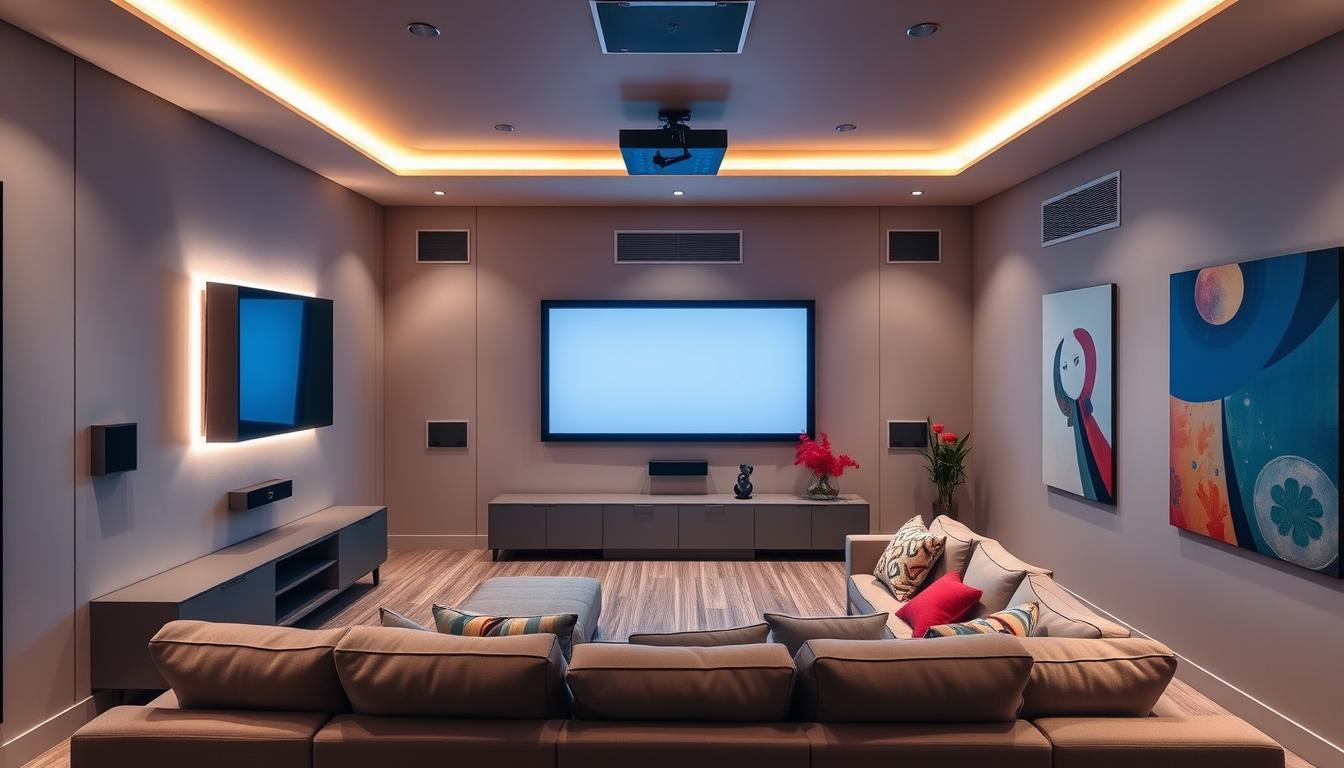
Your multimedia experience can be elevated by optimizing lighting, sound, and climate control. These elements work together to create an immersive environment that enhances every moment. Whether you’re watching a movie or hosting a gathering, the right setup ensures maximum comfort and enjoyment.
Automated Lighting and Ambiance
Automated lighting systems allow you to set the perfect mood with a single command. Dimmable smart lights can adjust brightness and color temperature to match the scene. For example, dim the lights for a cinematic feel or brighten them for a lively gathering.
These systems integrate seamlessly with your home system, enabling you to control them via voice commands or a smartphone app. This level of customization ensures your room always feels just right.
Fine-Tuning Audio and Atmospheric Comfort
Fine-tuning your audio settings is essential for an immersive experience. Modern systems allow you to calibrate sound profiles to match your preferences. Whether you’re listening to music or watching a movie, the audio quality can be tailored to suit your needs.
Climate control technology adds another layer of comfort. Adjustable thermostats ensure your room stays at the perfect temperature, even during long viewing sessions. These features work together to create a truly personalized entertainment environment.
- Automated lighting creates the perfect ambiance for any occasion.
- Fine-tuned audio settings deliver an immersive sound experience.
- Climate control ensures optimal comfort during long sessions.
- Products like dimmable lights and thermostats simplify management.
- Real-world examples show how technology enhances ambiance.
Integrating Streaming Services and Media Controls
Streaming your favorite shows and music has never been easier, thanks to voice-activated technology. By linking your streaming services to a smart device, you can enjoy a seamless media experience. This solution eliminates the need for multiple remotes, making it simple to start, pause, or navigate content.

With just a command, you can launch apps like Netflix or Spotify. This level of control transforms how you interact with your entertainment system. It’s a technology that adapts to your needs, offering convenience and efficiency.
Voice-Activated Streaming Setups
Setting up voice-activated streaming is straightforward. Begin by connecting your smart device to your Wi-Fi network. Next, link it to your preferred streaming app. This ensures that your device can recognize commands like “Play my playlist” or “Start a movie.”
Many systems allow you to customize routines. For example, saying “Movie Night” can dim the lights, adjust the temperature, and start your favorite streaming service. This solution creates a personalized experience tailored to your preferences.
Managing Media Commands Effortlessly
Voice commands simplify how you manage your media. You can pause, rewind, or skip content without touching a remote. This technology is especially useful when your hands are full or you’re relaxing on the couch.
To get the most out of your setup, ensure your smart device is updated with the latest firmware. This guarantees smooth operation and access to new features. With a well-configured system, you’ll enjoy a hassle-free media experience every time.
- Link your streaming services to a smart device for hands-free control.
- Use voice commands to start, pause, or navigate multimedia content.
- Configure routines that combine multiple actions into a single command.
- Ensure your app and device connections are up to date for optimal performance.
- Enjoy a streamlined solution that enhances on-demand viewing options.
Overcoming Common Challenges with Voice-Control Systems
While voice-control systems offer incredible convenience, they come with their own set of challenges that need addressing. From connectivity issues to privacy concerns, understanding these hurdles can help you create a seamless experience. With the right strategies, you can ensure your system runs smoothly and securely.

Ensuring Robust Connectivity
One of the most common issues users face is inconsistent Wi-Fi connectivity. A weak signal can disrupt your voice assistant’s performance, making it difficult to control your devices. To avoid this, place your router in a central location and minimize interference from other electronics.
Updating your router’s firmware can also improve performance. Many modern routers support dual-band frequencies, which can reduce congestion. If you’re still experiencing issues, consider investing in a Wi-Fi extender to boost your signal strength.
Maintaining Privacy and Securing Your Network
Privacy is a top concern when using voice-controlled systems. To protect your data, always use strong, unique passwords for your devices and accounts. Enable two-factor authentication whenever possible to add an extra layer of security.
Regularly update your voice assistant’s software to patch vulnerabilities. Avoid sharing sensitive information through voice commands, and review your device’s privacy settings to control what data is collected. These steps can help safeguard your network and personal information.
- Place your router centrally to ensure strong Wi-Fi coverage.
- Update router firmware and use dual-band frequencies for better performance.
- Use strong passwords and enable two-factor authentication for added security.
- Regularly update your voice assistant’s software to address vulnerabilities.
- Review privacy settings to control data collection and protect your information.
Advanced Features and Automation Scenes
Custom voice commands and automation scenes redefine how you interact with your space. These advanced features allow you to control multiple devices effortlessly, creating a seamless and personalized experience. Whether you’re watching a movie or hosting a gathering, automation ensures your environment adapts to your needs.
Creating Custom Voice Commands and Routines
With tools like Amazon Alexa, you can set up custom routines that trigger multiple actions with a single command. For example, saying “Movie Mode” can dim the lights, adjust the sound, and even lower the blinds. This level of customization ensures your living room is always ready for the perfect experience.
Here’s how to create a routine:
- Open your voice assistant app and navigate to the routines section.
- Choose a trigger phrase, like “Gaming Night.”
- Add actions such as turn light to a specific color or adjust the sound settings.
- Save the routine and test it to ensure it works as intended.
Leveraging Multi-Device Integration for Seamless Control
Multi-device integration ensures all your gadgets work together harmoniously. For instance, a single command can sync your sound system, lighting, and even climate control. This synchronization creates a cohesive environment tailored to your preferences.
Examples of multi-device setups include:
- Using Amazon Alexa to control Philips Hue lights and Sonos speakers simultaneously.
- Setting up a routine that adjusts the living room ambiance based on the time of day.
- Integrating your TV, sound system, and lighting for a cinematic experience.
These advanced features not only simplify control but also elevate your living room into a dynamic and responsive space.
Conclusion
Embracing modern advancements can transform how you enjoy your space. By integrating advanced systems, you create a seamless environment tailored to your needs. Whether it’s a cozy night in or a lively gathering, these technologies elevate your experience to a new level.
Say goodbye to juggling multiple remote controls. With simple commands, you can manage lighting, sound, and more effortlessly. This not only simplifies your routine but also adds a layer of personalization to every moment.
Take action today and start transforming your space. With the right setup, you’ll enjoy a system that’s innovative, user-friendly, and perfectly suited to your lifestyle. The future of convenience is here—make it yours.
FAQ
What is a smart home theater system?
A smart home theater system combines advanced audio and video technology with voice assistants like Amazon Alexa or Google Assistant. It allows you to control your entertainment setup, lighting, and even climate using simple commands.
How does voice control enhance the home theater experience?
Voice control adds convenience by letting you manage devices hands-free. You can adjust volume, change lighting, or stream movies without needing a remote. It also creates a more immersive environment tailored to your preferences.
What devices are needed to set up a voice-controlled home theater?
You’ll need a compatible speaker, a streaming device like a smart TV or media player, and a voice assistant such as Amazon Alexa or Google Assistant. Additional components like smart bulbs or soundbars can enhance the experience.
Can I integrate streaming services with voice control?
Yes, most voice assistants support popular streaming platforms like Netflix, Hulu, and Spotify. You can use commands to play, pause, or search for content effortlessly.
How do I ensure my voice-controlled system stays secure?
Use strong passwords for your network, enable two-factor authentication, and regularly update your devices. Avoid sharing sensitive information through voice commands to maintain privacy.
Can I customize voice commands for my home theater?
Absolutely. Many systems allow you to create custom routines. For example, saying “Movie Night” can dim the lights, lower the blinds, and start your favorite streaming service.
What should I do if my voice assistant doesn’t respond?
Check your internet connection, ensure the device is powered on, and verify that the microphone is active. If issues persist, restart the device or update its software.
How can I optimize lighting for my home theater?
Use smart bulbs or dimmers to adjust brightness levels. Pair them with your voice assistant to create scenes like “Cinema Mode” for a perfect viewing environment.
Can I control multiple rooms with a single voice assistant?
Yes, most voice assistants support multi-room setups. You can manage devices in different areas, like the living room or bedroom, using a single app or command.
What are the benefits of integrating climate control with my home theater?
Smart thermostats let you adjust the temperature for comfort. Pairing them with your system ensures the room stays cozy during movies or cools down after use.