
Did you know 83% of U.S. households with premium music subscriptions now use home theater systems for playback? This shift reflects the growing need to merge streaming convenience with high-fidelity audio. Modern AV receivers have evolved beyond Blu-ray players and gaming consoles, becoming central hubs for digital entertainment.
Whether you’re hosting a party or relaxing solo, connecting your favorite streaming service to a receiver unlocks richer sound and easier control. This guide explores practical methods to bridge Spotify with devices like Denon models with Spotify Connect, ensuring crisp playback without complex setups.
You’ll find solutions tailored to both free and premium accounts, along with tips to avoid compatibility hiccups. Learn why direct integration outperforms Bluetooth pairing and how to troubleshoot common issues like signal drops.
Key Takeaways
- Multiple connection methods for different receiver brands and Spotify account types
- Technical requirements to ensure stable streaming and high-quality audio
- Advantages of direct integration over traditional Bluetooth or auxiliary cables
- Compatibility insights for modern AV receivers and streaming protocols
- Troubleshooting strategies for consistent playback performance
Introduction to Seamless Streaming
The fusion of digital platforms and advanced receivers unlocks a new dimension in home audio. Modern systems transform compressed streams into vibrant soundscapes, preserving every nuance of your favorite tracks.
Benefits of Streaming Spotify Music
Premium music services gain new life through high-end receivers. You’ll hear layered instrumentals and vocal details often lost through basic speakers. Formats like FLAC and Dolby Atmos turn ordinary playlists into 3D auditory experiences.
Multi-room capabilities let you synchronize beats across living spaces. Adjust bass levels in the den while keeping bedroom volumes low—all from one device. Voice commands through Alexa or Google Assistant add hands-free convenience for busy listeners.
Overview of Modern AV Receiver Features
Today’s receivers like Yamaha’s MusicCast and Denon’s HEOS systems prioritize wireless flexibility. Built-in Wi-Fi maintains sound quality better than Bluetooth, minimizing signal drops during critical moments.
Key advancements include:
- DTS:X and Dolby Vision support for synchronized audiovisual experiences
- Spotify Connect integration for direct app control
- 8K upscaling that complements your surround sound setup
These innovations create a clutter-free environment where music services shine. You’re no longer chained to physical media or tangled cables—just pure, undiluted audio.
Understanding Your AV Receiver and Music Streaming Capabilities
Modern entertainment systems thrive on versatile hardware that bridges digital services with physical components. Your receiver’s ability to manage various devices determines how effortlessly music flows through your space.
Device Types and Connectivity Options
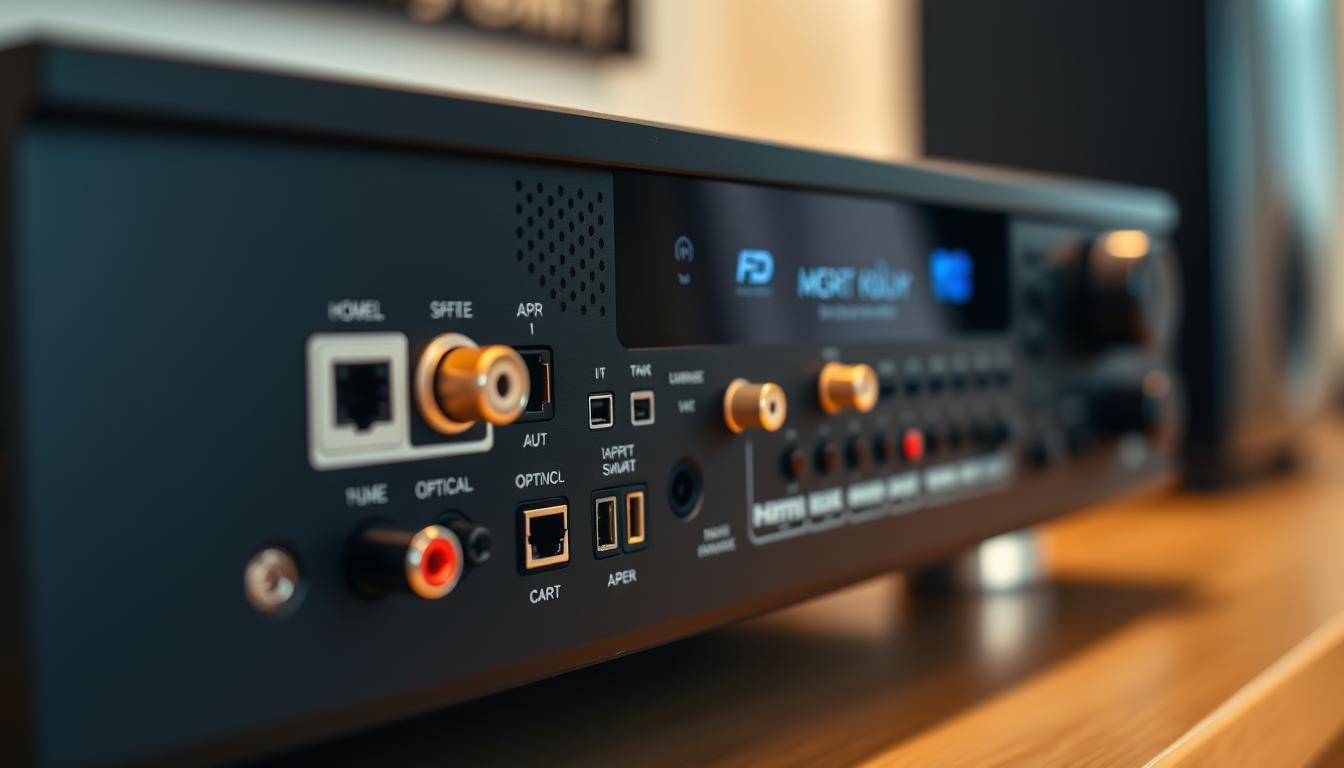
Today’s receivers handle everything from gaming consoles to network-based streaming. Wireless protocols like Wi-Fi maintain sound integrity better than Bluetooth, especially for high-resolution tracks. Wired connections via HDMI or optical cables offer zero-latency performance for critical listening.
Most models support multiple zones, letting you direct different playlists to separate rooms. Smartphone apps simplify control, whether adjusting bass levels or switching inputs. This flexibility ensures your system grows with new tech additions.
Key Features of Yamaha and Denon Receivers
Yamaha and Denon lead with distinct approaches to home audio management. Compare their standout traits:
| Brand | Key Features | Connectivity |
|---|---|---|
| Yamaha | Spotify Connect since 2013 MusicCast multi-room |
Wi-Fi, Bluetooth 6 HDMI ports |
| Denon | HEOS wireless tech 8K upscaling |
Dual-band Wi-Fi 7 HDMI inputs |
Yamaha’s network integration lets Premium users stream without extra hardware. Denon’s HEOS app manages playlists across 32 devices simultaneously. Both brands auto-detect new components, reducing setup headaches.
Advanced room calibration in these devices tailors sound profiles to your space. You’ll experience studio-grade acoustics without professional tuning.
How to Link Spotify to Your AV Receiver
Modern home audio systems reach their full potential when streaming services integrate directly with receivers. This seamless pairing eliminates intermediate devices while maintaining pristine sound quality. Two primary methods dominate this space: platform-native tools and brand-specific controllers.
Spotify Connect: Instant Wireless Playback
Activate this feature through your Spotify app in three steps:
- Play any track and tap the Now Playing bar
- Select the Devices Available icon
- Choose your receiver under “More Devices”
Both devices must share the same Wi-Fi network for reliable playback. Premium accounts unlock higher bitrates, preserving vocal clarity during dynamic tracks.
Brand-Specific Control Solutions
Yamaha’s MusicCast and Denon’s HEOS apps enhance functionality beyond basic streaming:
- Download the manufacturer’s app from your device store
- Navigate to Sources > Spotify in the interface
- Authenticate your Spotify Premium account once
These platforms remember your preferences, allowing instant access to playlists through your home system. The HEOS app even lets you queue songs across multiple rooms simultaneously.
After initial setup, your receiver appears as an available device whenever you connect Spotify. Adjust volume levels or skip tracks directly through the Spotify app interface. This integration transforms your phone into a universal remote for lossless audio streaming.
Alternative Methods for Streaming Spotify Content
When network-based streaming isn’t practical, two reliable alternatives keep your playlists flowing. These approaches cater to different needs—quick wireless access or permanent offline libraries.
Streaming via Bluetooth: Quick Pairing Steps
Activate your receiver’s pairing mode by holding its BLUETOOTH button for three seconds. Enable Bluetooth on your smartphone or tablet, then select the receiver from available devices. This method works with free accounts but compresses Spotify music quality slightly.
Playing Spotify Through USB: Converting Music Files
Third-party tools like DRmare transform Spotify songs into MP3 or FLAC files. Converted tracks retain original metadata and quality. Transfer them to a USB drive, then plug it into your receiver’s front port.
Navigate using your receiver’s interface to access files stored on USB. This method bypasses subscription requirements—ideal for building permanent collections. You’ll enjoy album art displays and folder-based organization through your system’s menu.
Troubleshooting and Optimizing Your Spotify Connection
Intermittent connections can disrupt your listening experience just as the chorus hits. Most issues stem from simple configuration oversights rather than hardware failures. Let’s streamline your setup for uninterrupted playback.
Common Connectivity Issues and Fixes
Spotify music may disappear from available devices if network settings diverge. First, confirm both your phone and receiver use identical Wi-Fi frequencies. Dual-band routers often split signals, causing mismatched connections.
Try these solutions in order:
- Reboot your router and streaming devices
- Update receiver firmware through manufacturer apps
- Reauthorize Spotify in your receiver’s network settings
Persistent dropouts might require clearing cached data in your app. Android users can find this under Storage Settings, while iOS devices need a full reinstall.
Tips for a Smooth Network and Device Setup
Position your receiver at least 3 feet from microwaves and cordless phones. These appliances operate on 2.4GHz frequencies that interfere with music streaming. For optimal performance:
- Enable QoS (Quality of Service) in router settings
- Assign static IP addresses to audio devices
- Schedule firmware updates during off-hours
Premium accounts deliver better stability through Spotify Connect. Always launch the app before selecting your receiver—this sequence ensures proper handshake protocols. For multi-room setups, verify all zones share the same input source in your control interface.
Conclusion
Transforming your living space into a premium listening environment now rests at your fingertips. You’ve explored multiple pathways to enjoy Spotify music through advanced receivers—from wireless integrations to physical media playback. Spotify Premium users gain the clearest advantage, accessing lossless audio that reveals hidden layers in every track.
Alternative methods like Bluetooth pairing or USB songs storage provide flexibility for casual listeners. These approaches maintain decent quality while avoiding subscription commitments. Proper network configurations ensure stable playback, whether streaming live or accessing local files.
Your choice between Yamaha and Denon devices hinges on multi-room needs and control preferences. Both brands enhance standard music streaming through surround sound processing and intuitive apps. Regular system updates keep these connections future-proof.
With this knowledge, your home entertainment system becomes more than speakers—it’s a gateway to studio-grade acoustics. Crank up the bass, fine-tune treble, or distribute beats across rooms. Your favorite playlists have never sounded this immersive.
FAQ
Can I use Spotify Connect without a premium account?
Yes, Spotify Connect works with both free and premium accounts. However, premium subscribers enjoy ad-free listening, higher audio quality, and offline playback features.
Are Yamaha and Denon receivers compatible with Spotify?
Most modern Yamaha (via MusicCast) and Denon (via HEOS) receivers support Spotify Connect. Check your device’s firmware and ensure it’s connected to the same Wi-Fi network as your smartphone or tablet.
How do I pair my AV receiver with Spotify via Bluetooth?
Enable Bluetooth on your receiver, open the Spotify app, and select the receiver under “Devices Available.” Confirm pairing on both devices for instant wireless streaming.
Can I play Spotify music through a USB drive?
Spotify tracks are encrypted, so direct USB playback isn’t supported. You’ll need third-party tools to convert songs to MP3 or FLAC files and store them on a USB drive for offline use.
Why does my receiver not show up in Spotify Connect?
Ensure both devices are on the same network, restart your router, and update the receiver’s firmware. Disable VPNs or firewalls that might block communication between devices.
How can I improve Spotify’s audio quality on my AV system?
In Spotify settings, set streaming quality to “Very High” (premium only). Use wired Ethernet connections for receivers and enable high-resolution audio formats like Dolby Atmos if supported.
Do I need a smartphone to control Spotify on my receiver?
No. Once linked via Spotify Connect, you can use the receiver’s remote or built-in interface to browse playlists, adjust volume, and skip tracks directly.